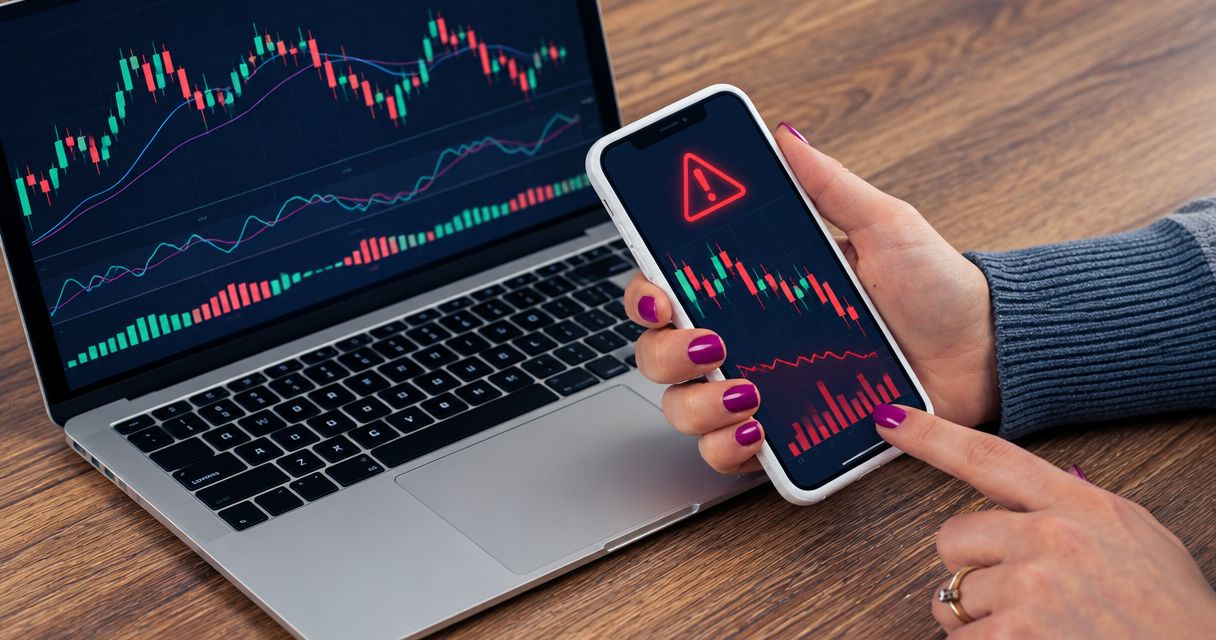
A forex trading app fill can differ from a signal price because the signal is a trade idea, while your broker executes an order against the prices available when it receives that order. Slippage is the difference between your expected execution price and your actual fill; the spread, a different quote feed, or a delay can also explain a mismatch without proving that the app made an error.
- Forex trading app slippage concerns execution, not whether a signal predicts the market correctly.
- Compare the signal timestamp, bid and ask, order type, and broker execution record before judging a price difference.
- Market orders prioritize execution; limit orders control price but can remain unfilled.
- Tradeforex suits beginners seeking forex signals through a web app, not a broker-operated trading app.
Why can a forex trading app fill differ from a signal price?
A signal price is not a reserved execution price. Between a provider publishing an idea and your broker filling an order, the market can move, the spread can change, and the available prices can change.
For a beginner using Tradeforex, the distinction is straightforward: subscribers receive signals inside the Tradeforex web app, while a broker handles trade execution. Receiving a signal and obtaining a broker fill are separate events.
| Possible cause | What it means | What to check |
|---|---|---|
| Market movement | The currency pair changed price after the signal was issued | Signal time, order submission time, and execution time |
| Bid-ask spread | Buying and selling use different sides of the quote | The bid and ask at execution, not just the chart line |
| Different quote feeds | The provider and broker displayed different quotes | The same currency pair and quote side at the same time |
| Slippage | The executed price differed from the expected execution price | Requested price, actual fill, and order conditions |
| Order instructions | Your order allowed execution at available prices or imposed a price condition | Market, limit, or stop instructions |
These explanations can overlap. A delayed order placed during a widening spread can produce a different result from an order submitted immediately, even when both traders follow the same signal.
Why this matters
A signal's published outcome is not automatically your trading outcome. Your entry, exit, spread, and other trading costs determine your result, so copying the direction alone does not reproduce another account's performance.
For your 2026 app shortlist, separate signal delivery from broker execution. The guide to choosing a forex trading app before subscribing to signals helps frame that decision before you commit to a subscription.
Evaluate the trade idea and the execution separately. A losing trade does not prove poor execution, and a profitable trade does not prove that execution matched your instructions.
Signal price, chart price, and fill price are different things
Signal price: the provider's reference
A signal price identifies the level associated with a trade idea. Read the accompanying instructions to establish whether that level represents an immediate entry, a pending-order level, or a reference around which the provider expects you to make a decision.
Do not assume that every published price remains actionable. If the instructions do not explain what to do after the market moves away, you lack a clear basis for entering late.
Chart price: a displayed quote
A chart can display a bid, ask, or midpoint, depending on the platform and settings. The bid is the quoted selling price; the ask is the quoted buying price. Their difference is the spread.
A buy normally opens at the ask and closes at the bid. A sell normally opens at the bid and closes at the ask, so comparing every execution with a single chart line can create a false impression of slippage.
Fill price: the executed transaction
The fill is the price recorded for your executed order. Use the broker's transaction record rather than a signal screenshot to establish what happened in your account.
For most non-JPY currency pairs, a conventional pip is 0.0001 quote-currency units. For many JPY pairs, a conventional pip is 0.01 yen; fractional-pip quotes add another decimal place. Check the instrument's specification before converting a price difference into pips, especially when a platform also uses the term points.
How order type changes your control over price
Order type determines whether your priority is execution or a price boundary. It does not remove trading risk, and an order that never fills cannot reproduce a signal's hypothetical result.
| Order type | Best for | Main advantage | Main limitation |
|---|---|---|---|
| Market order | Entering or exiting at available market prices | Prioritizes execution rather than a specified price | The final price is not guaranteed |
| Limit order | Setting the worst acceptable entry or exit price | Executes only at the limit price or better | Can remain unfilled while the market moves away |
| Stop order that becomes a market order | Triggering an order after a specified level is reached | Activates execution when the trigger condition is met | The stop level does not guarantee the fill price |
Choose the instruction that matches your plan, not the order button that feels fastest. A limit order is useful when price discipline matters more than participating immediately. A market order serves a different purpose: accepting available execution rather than insisting on a particular price.
For a stop order, read the broker's trigger rules. Which quote activates the order matters, particularly when the spread widens. Broker terms also determine how the order behaves during gaps or interrupted trading.
When comparing apps in 2026, inspect the order ticket and execution terms rather than assuming identical order names guarantee identical handling. A simple interface does not establish how the underlying broker executes orders.
Why forex trading app slippage varies
Slippage depends on the conditions surrounding the order. These factors explain why the same signal can lead to different fills across accounts:
- Market speed. When quotes change rapidly, the price visible before submission can differ from the price available at execution.
- Available liquidity. Liquidity means the buying and selling interest available at quoted prices. An order can require execution across different price levels.
- Order size. A larger order requires more available volume, which can affect the prices at which it is filled.
- Transmission and handling delays. Time passes while you read a signal, submit an order, and the broker processes it.
- Order conditions. Price limits, trigger rules, and execution instructions determine which outcomes the order permits.
Spread changes and quote-feed differences also explain signal-to-fill gaps, but they are not automatically slippage. Keep those categories separate when reviewing a trade.
Slippage can be favorable or unfavorable. A buy filled below its expected price is favorable on entry; a buy filled above it is unfavorable. Reverse that comparison for a sell, and remember that a favorable entry does not guarantee a profitable trade.
How do you check why your fill differed?
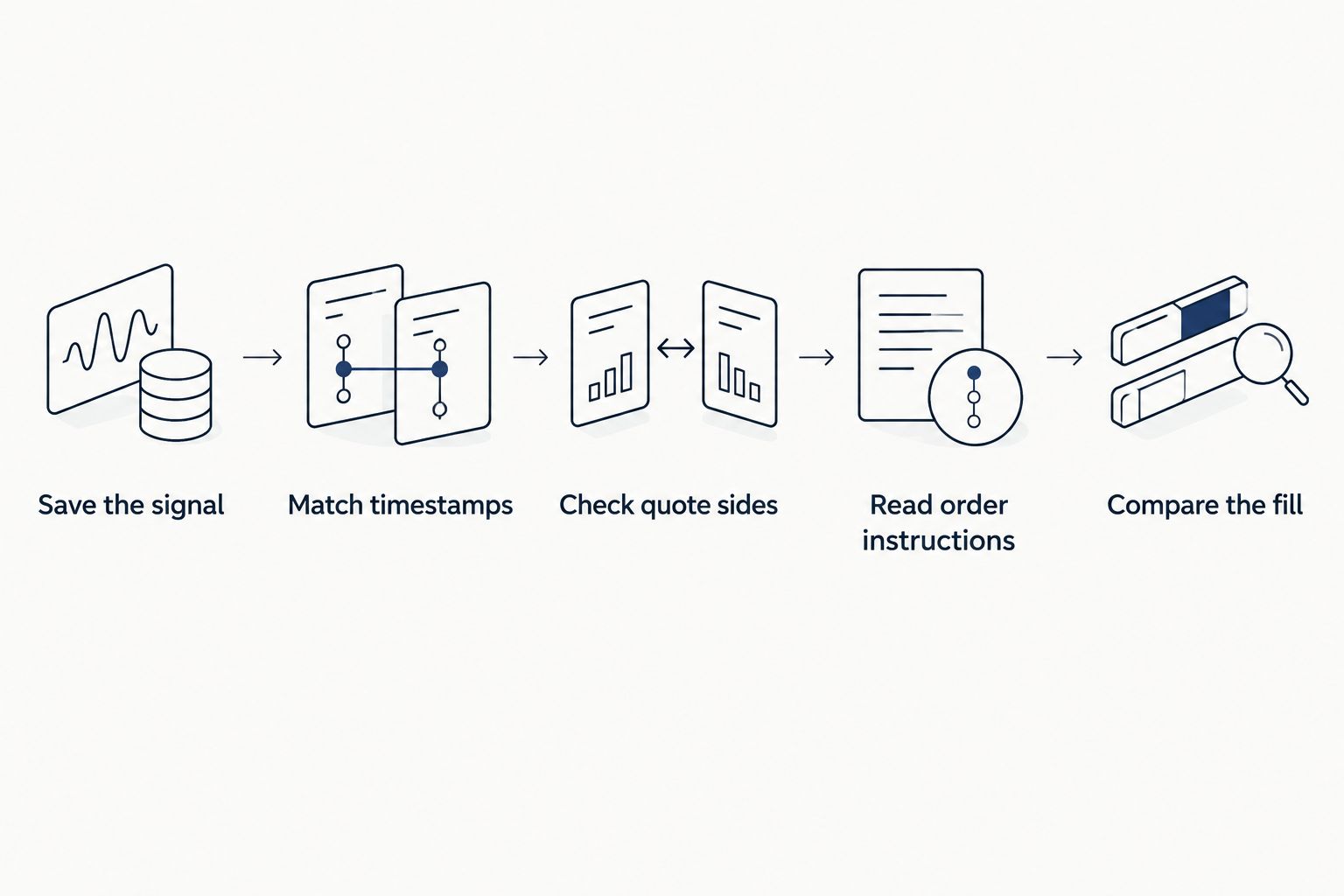
Use the same review process for a winning trade and a losing trade. In 2026, keep the original signal and your broker's order record together so that a later screenshot does not replace the original instructions.
- Save the signal. Preserve the original entry instructions, publication time, currency pair, and any subsequent update separately.
- Match timestamps. Check time zones before comparing publication, submission, and execution. A chart and an account statement can use different clocks.
- Check quote sides. Compare a buy entry with the ask and a sell entry with the bid. Establish what the chart actually displays.
- Read order instructions. Confirm the order type, requested level, size, and any price restriction. Do not infer the instructions from memory.
- Compare the fill. Use the broker's execution record to measure the difference, then ask the broker to explain any unresolved discrepancy.
A useful broker query identifies the order reference, instrument, submission time, execution time, requested price, and fill price. Ask which quote triggered the order and how the execution followed the account's terms.
A screenshot of a different provider's chart does not, by itself, establish an execution error. It can support a question, but the comparison still needs matching times, quote sides, and order conditions.
How can you reduce avoidable execution surprises?
Understand the order before you copy the signal. Practice locating the bid, ask, spread, order type, and transaction history without the pressure of deciding whether to enter a live trade.
A demo account helps you learn those controls, but demo fills do not establish what live execution will deliver. Treat practice as interface training, not proof of future execution quality.
Before entering, compare the current market with the signal's instructions. If the price has moved outside the stated entry condition, do not silently substitute a different trade and assume the original risk assessment still applies.
For your 2026 comparison, ask whether the broker's app makes order conditions and execution records easy to inspect. Check the broker's regulatory status with the relevant regulator and read the execution policy; an app-store listing is not a substitute for that review.
Keep position size consistent with a loss you can afford. Borrowed exposure magnifies losses as well as gains, and an ordinary stop-loss does not guarantee execution at its trigger price.
Can a limit order guarantee the signal price?
A limit order controls the worst acceptable execution price, not whether execution happens. A buy limit permits its specified price or lower; a sell limit permits its specified price or higher.
The market can touch a displayed level without your order filling, depending on available liquidity and execution conditions. If the order remains unfilled, do not count the signal's published outcome as your own result.
Does a different fill mean the signal was wrong?
A different fill does not establish whether the signal was a sound trade idea. It establishes that the account's execution differed from the published reference.
Evaluate the reasoning and instructions separately from the execution. Then evaluate your actual result after trading costs, rather than substituting a provider's entry and exit for your own.
What should you check before subscribing to forex signals?
Tradeforex provides its forex signals through the Tradeforex web app; it does not execute your broker trades. That delivery method answers where subscribers receive ideas, not what price a separate broker will fill.
Before subscribing in 2026, examine the available service information for explanations of entry conditions, exits, risk, and updates. Verify what is actually supplied rather than assuming those details are included.
The benefit of a signals service is access to trade ideas you can evaluate. Its limitation is equally clear: a trade idea cannot guarantee execution or an outcome, and a subscription does not transfer responsibility for your account decisions.
FAQ
What is forex trading app slippage?
Forex trading app slippage is the difference between an expected execution price and the actual fill. A difference from a signal price is not automatically slippage because timing, spreads, and quote feeds can also explain it.
Why did my buy open above the price shown on the chart?
A buy normally opens at the ask, while the chart might display the bid or another quote. Check the chart setting and spread before concluding that the execution was incorrect.
Can forex slippage work in my favor?
Slippage can be favorable when an order fills at a better price than expected. A better fill improves that execution but does not guarantee that the trade will be profitable.
Does a stop-loss guarantee my exit price?
An ordinary stop-loss does not guarantee the exit price. If it triggers a market order, the actual fill depends on available prices and the broker's execution conditions.
Is a limit order better than a market order for signals?
A limit order is better suited to enforcing a price boundary, while a market order prioritizes execution. The appropriate choice depends on the signal's instructions and your trading plan; neither removes loss risk.
Will a demo account show the slippage I will get live?
A demo account does not establish the slippage you will receive live. Use it to learn order controls, then review the broker's live execution terms separately.
Does Tradeforex execute the trades in its signals?
Tradeforex provides forex signals inside its web app, not broker trade execution. Your separate broker account and order instructions determine how a submitted trade is executed.
One last thing
Measure the decision you actually made, not the trade shown in the signal. Once you enter at a different price, the distance to the planned exit changes, so the original balance between potential loss and potential gain no longer necessarily applies.
Before submitting a late entry, reassess that distance and your position size. If you cannot explain the revised risk, leaving the trade alone is a valid decision.