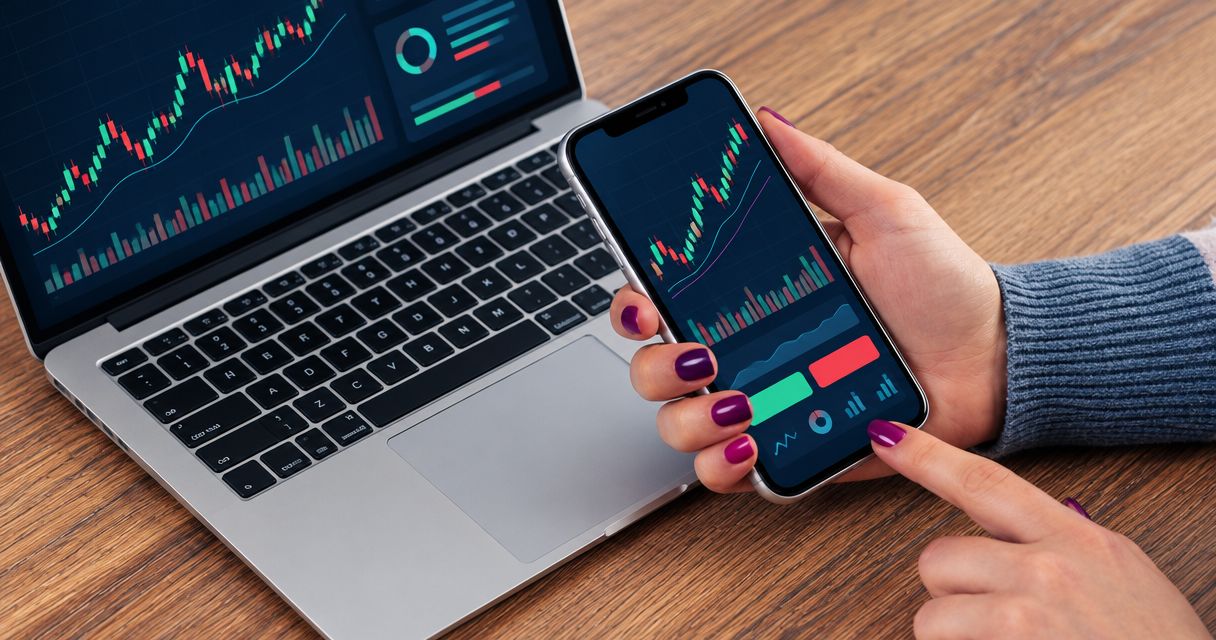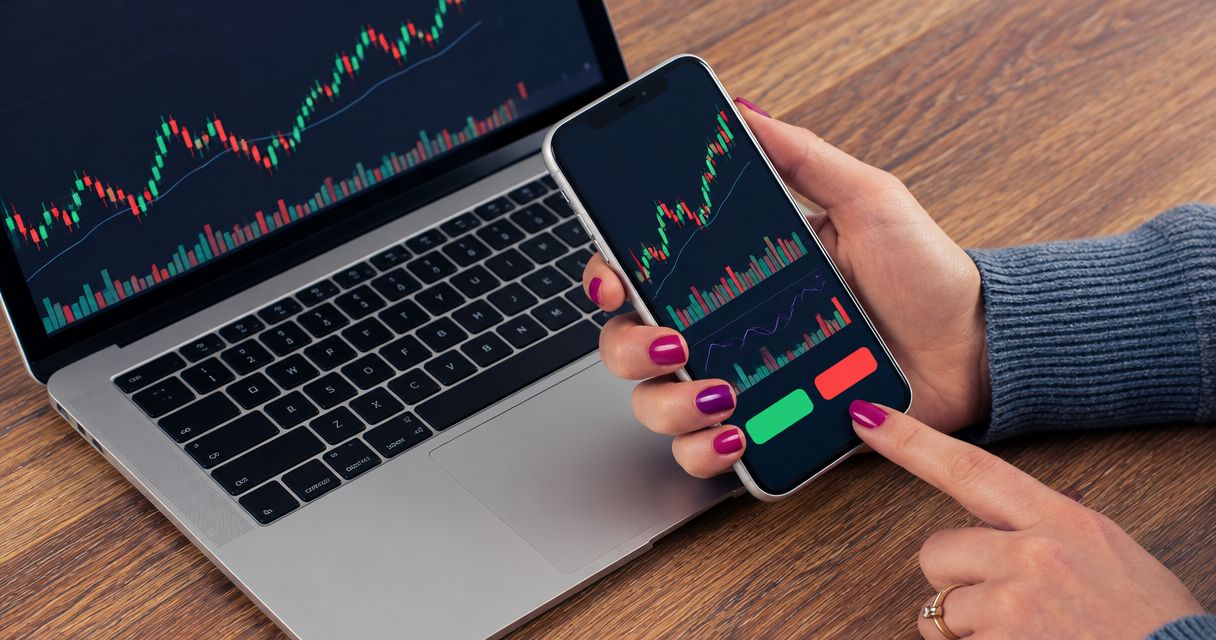
Beginner forex app practice is simulated currency trading with the aim of learning order entry and risk control before putting money at risk. Choose a forex trading app for beginners that lets you rehearse trades, inspect costs, and separate a signal provider’s trade idea from your own decision to execute it.
- Choose a forex trading app for beginners around demo practice and understandable order controls, not promised returns.
- Use EUR/USD to learn currency-pair notation before adding more markets.
- Forex signals are trade ideas; your broker handles execution, and you remain responsible for risk.
- Record decisions and execution mistakes before judging results.
Why forex app practice matters for beginners
A beginner needs to understand what an order does before judging whether a trade idea is useful. A clear-looking interface does not explain margin, stop orders, or the consequences of entering the wrong position size.
Tradeforex provides forex information and tools. This 2026 guide separates the jobs of a broker app, a practice account, and a signals service so you can evaluate each without confusing information with execution.
Your first app should help you understand a trade, not make placing one feel effortless. Practice matters because currency-market knowledge and app familiarity are different skills: recognizing a setup does not mean you can enter, amend, and close the order correctly.
For beginners, the practical constraints are specific:
- Currency prices show the relationship between two currencies, not a standalone asset price.
- Position size affects money at risk; a small price movement does not automatically mean a small loss.
- A signal can reach you before you understand the order needed to follow it.
- A demo account teaches mechanics but does not reproduce every condition of live trading.
How to choose and practice with a beginner forex app
Define what you need the app to do
Start with a written checklist rather than an app ranking. Separate learning, market analysis, order execution, and signal delivery into distinct jobs. One interface does not have to perform all of them.
A broker trading app submits orders through the broker. A charting tool helps you inspect prices. A signals service supplies trade ideas. Your manual alternative is a notebook or spreadsheet that records a proposed trade without placing it.
For your 2026 shortlist, prioritize functions you can inspect yourself. If you cannot explain how an order changes your exposure, a convenient notification or attractive chart is not enough. Test the trade ticket—the screen where you specify an order—before deciding that an app suits you.
- Write down whether you need practice, analysis, execution, or signals.
- Locate the position-size field and identify its unit.
- Find the controls for closing and canceling orders.
- Check whether the broker offers a demo account.
- Read the account terms and risk disclosures before depositing money.
Check the broker before testing the interface
Verify the broker separately from the software it offers. An app-store listing, recognizable platform name, or polished interface does not establish the broker’s regulatory status.
For US readers evaluating retail off-exchange forex, check registration information through the Commodity Futures Trading Commission and the National Futures Association. NFA’s BASIC database provides registration and disciplinary information. Match the legal entity and contact details, rather than relying on a similar trading name.
Do this manually using official records and the broker’s documents. Confirm which entity would hold your account and what account protections apply. A signals subscription does not replace this check because the signal provider and the executing broker perform different roles.
- Identify the broker’s full legal entity name.
- Check registration using official regulatory records.
- Match the listed entity to the account agreement.
- Review available disciplinary information.
- Identify the process for withdrawals and complaints.
Separate forex signals from trade execution
Evaluate a signal as a proposal, not an instruction you must follow. Start by writing down what the idea says, what remains unclear, and whether you understand the risk. You can perform this review manually before using any subscription.
Tradeforex provides its own forex signals service, and subscribers receive signals inside the Tradeforex web app. That delivery method gives you a place to receive ideas; it does not make Tradeforex a broker or establish that it executes trades.
Tradeforex is best for beginners seeking forex signals in a web app, not broker execution. Before subscribing, inspect the service information and establish whether the explanations suit your level. Do not assume that a signal includes an entry, exit, or risk explanation unless the actual signal supports that conclusion.
- Identify the currency pair and proposed direction.
- Check whether entry conditions are explained.
- Look for an exit or invalidation condition.
- Identify any missing risk information.
- Skip ideas you cannot translate into an understandable practice order.
Learn the order ticket with a demo account
Use a demo account, where available, to rehearse the app’s controls without committing real money. Begin with 1 currency pair, such as EUR/USD, so changing markets does not distract you from learning the interface. This is a practice recommendation, not a claim that one pair is safer.
EUR/USD expresses the value of the euro in US dollars. Buying the pair means taking a position that benefits from a rise in that quoted relationship; selling takes the opposite direction. Learn the broker’s terminology before submitting either order.
A market order seeks execution at the available market price. A limit order sets a price boundary, while a stop order activates when its trigger condition is reached. Exact behavior depends on the order and broker rules. In your 2026 practice log, record the order type as carefully as the trade direction.
- Practice opening and closing a demo position.
- Distinguish pending orders from open positions.
- Rehearse changing and canceling an order.
- Confirm the meaning of every size and price field.
- Check the order confirmation against your written plan.
Set risk before considering an entry
Write down the loss you are prepared to accept before entering a practice trade. Then relate position size to the planned exit. Do not begin with the largest position the interface permits and work backward.
Margin is collateral required to support a leveraged position. It is not the same as your maximum possible loss. Leverage increases your market exposure relative to the funds supporting the position, magnifying both gains and losses.
A stop-loss order is intended to limit losses, but it does not guarantee execution at the requested price. Slippage—the difference between an expected price and an actual execution price—can occur. Treat the planned loss as a planning assumption, not a guaranteed boundary.
- Identify the account currency and position-size unit.
- Define the condition that would invalidate the trade.
- Estimate the loss at the planned exit.
- Review margin requirements separately from planned risk.
- Reject any trade whose potential loss you cannot explain.
Rehearse a signal-review routine
Turn each idea into a repeatable sequence: Read the idea, Check the risk, Practice the order, and Record the result. Repetition helps you distinguish a misunderstanding from a deliberate decision.
Start with 10 documented practice trades as a learning exercise, not a readiness threshold or performance test. Before each trade, describe why you would enter and what would make you exit. Afterward, record whether you followed that plan.
For each practice trade, save 1 screenshot of the order confirmation if the app supports it. Compare the entered direction, size, and order type with your notes. This catches execution mistakes that a profit-or-loss figure alone cannot explain.
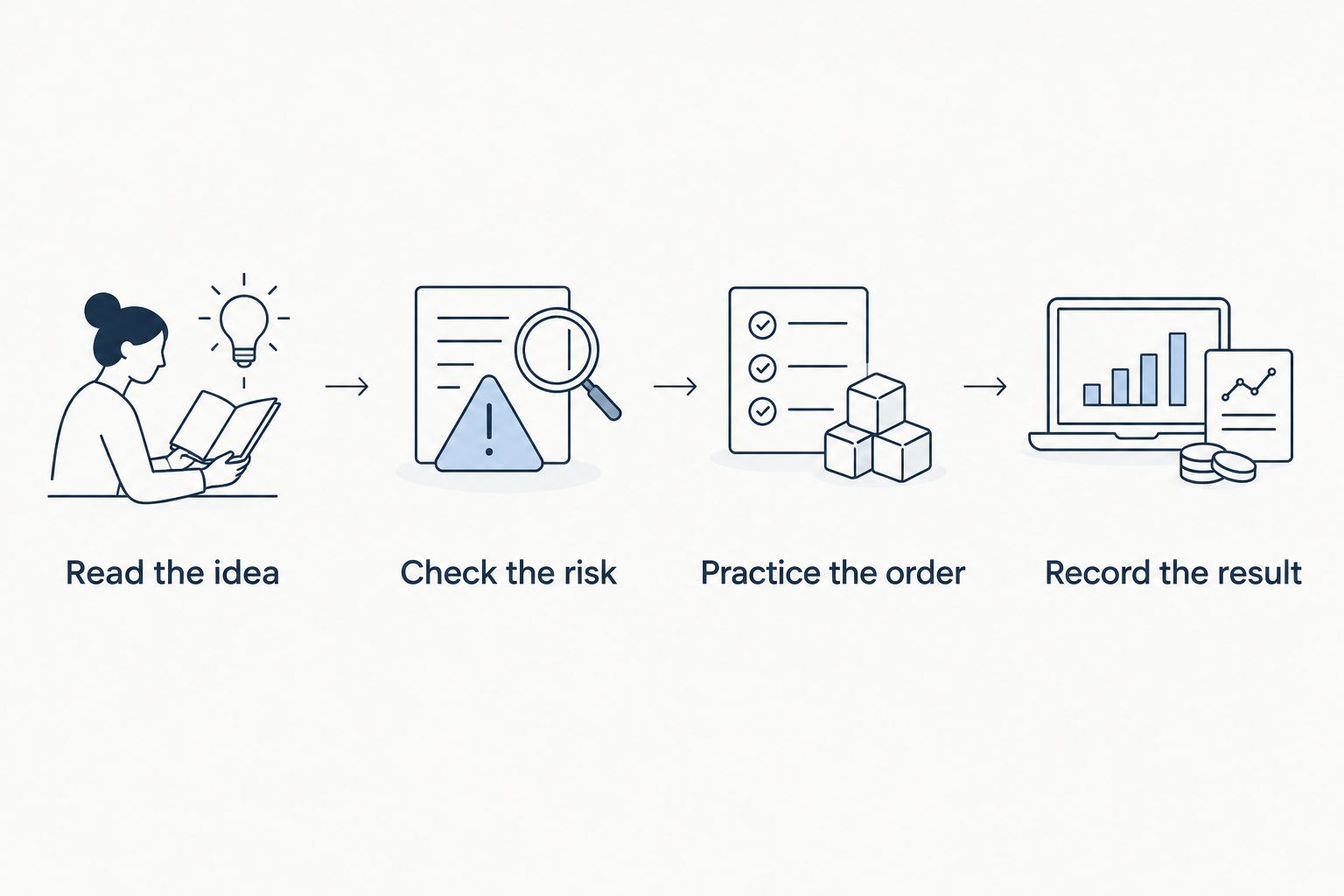
Your 2026 practice record should distinguish the idea’s outcome from your execution. A losing trade can follow its plan correctly; a winning trade can still contain an order-entry mistake.
- Record the proposed trade before entering it.
- Note whether you accepted or rejected the idea and why.
- Compare the confirmation with your intended order.
- Separate execution mistakes from market outcomes.
- Record missed ideas without chasing their original entry.
Review limitations before deciding to subscribe
Compare your practice notes with the information a service supplies. A subscription is useful to your learning only when you can understand and evaluate the ideas independently. Receiving more ideas does not resolve confusion about position size or exits.
Review your 10-trade practice exercise for repeated mistakes. If you still confuse buying with selling, pending orders with positions, or margin with money at risk, continue practicing the mechanics. The exercise is a checklist for finding gaps, not proof that live trading will succeed.
When assessing a forex signals service in 2026, ask how any presented results were calculated. Selected winning examples do not establish the full record. Distinguish historical, simulated, and live results, and check whether transaction costs are included.
- List the explanations you need before using a signal.
- Check the service’s stated delivery method.
- Review subscription and cancellation terms before committing.
- Question performance claims that omit losses or methodology.
- Decide whether the service fits your routine without increasing pressure to trade.
Review Tradeforex before subscribing
Subscribers receive forex signals inside the Tradeforex web app. Review the service before committing.
Compare your beginner practice options
Choose an option by the job it performs. A demo account and a signals service are complementary tools, not substitutes: one rehearses execution, while the other supplies ideas to evaluate.
| Option | Best for | Main benefit | Key limitation |
|---|---|---|---|
| Broker demo account | Beginners learning order mechanics | Rehearses placing and managing orders without risking real funds | Simulated conditions do not establish live execution quality or future results |
| Broker live account | Traders who understand execution and accept financial risk | Executes actual currency-market positions | Real losses occur; an accessible interface does not reduce exposure |
| Standalone charting tool | Beginners studying price behavior | Separates market analysis from the order ticket | Charts alone do not execute a complete risk plan |
| Tradeforex signals service | Beginners seeking signals delivered through a web app | Subscribers receive forex signals inside the web app | Signals are not guaranteed outcomes and do not replace broker execution |
| Manual trading journal | Beginners building a review habit | Records decisions without requiring automated analysis | Requires consistent entries and does not place orders |
The manual journal is the simplest starting point for evaluating your decisions. Its weakness is incomplete recording: if you log only winners, the journal becomes a selection of examples rather than a useful review.
A broker demo account adds practical order rehearsal. Its weakness is the temptation to treat simulated gains as evidence of live readiness. Keep those judgments separate when comparing apps.
Common mistakes beginners make
Choosing signals before understanding position size
A direction and entry price do not tell you how much money to expose. Learn the size field first. If you cannot connect position size to the planned loss, the idea is not ready for your practice routine.
Treating a demo balance as a performance target
A simulated balance can encourage oversized trades because the money is not real. Use demo trading to test decisions and mechanics, not to maximize the displayed balance. Record whether the order matched your plan.
Mistaking margin for the maximum loss
Margin describes collateral, not a complete loss limit. Read the broker’s margin and liquidation rules, and evaluate the position’s exposure separately. Do not infer safety from a small initial margin requirement.
Following a notification after the setup has changed
The market can move between signal delivery and your review. Compare current conditions with the idea’s stated conditions rather than copying an old entry automatically. Reject an idea when you cannot establish whether it remains applicable.
Comparing providers using selected winning examples
Winning screenshots leave unanswered questions about losses, costs, and omitted trades. Assess the explanation and methodology behind any results. A historical outcome is not a promise about your next trade.
FAQ
What is the best forex trading app for beginners?
The best starting option is a broker app you can practice with and understand, rather than one chosen for promised returns. Check the broker, rehearse order controls in a demo account where available, and inspect risk information before depositing money.
Can I learn forex trading without using real money?
Yes, you can learn order mechanics with a demo account and review trade ideas in a manual journal. Simulated practice does not prove that you will achieve the same results with live money.
Is a forex signals app the same as a broker app?
No, a forex signals app delivers trade ideas, while a broker app handles order execution. Evaluate the signal provider and the broker separately, and keep responsibility for position size and risk with your own decision process.
Where do Tradeforex subscribers receive signals?
Tradeforex subscribers receive forex signals inside the Tradeforex web app. This is signal delivery, not evidence that the service acts as a broker or executes your trades.
Do forex signals guarantee a profit?
No, forex signals do not guarantee a profit. Currency prices can move against an idea, and execution conditions and trading costs affect the outcome.
Does a stop-loss guarantee my maximum loss?
No, a stop-loss does not guarantee execution at the requested price. Slippage or gaps can produce a different execution price, so your planned loss is not an absolute guarantee.
How many demo trades should I make before trading live?
No fixed number of demo trades proves readiness for live trading. Use the practice exercise to identify repeated mistakes and confirm that you understand order types, position size, margin, and planned exits.
One last thing
Practice declining a trade, not just entering one. Write down the missing explanation or changed condition that made you reject it. That record tests whether you are evaluating signals instead of treating every notification as an obligation.
An app is useful only when you understand the decision it helps you make. Keep practicing until your notes explain the order and its risks without relying on the result to justify them.