Evaluate a forex trading app with alerts by checking what triggers each notification, whether it arrives while the idea remains relevant, and whether you can explain the trade and its risk before acting. An alert is not an executed order: you still need to assess current prices, trading costs, and whether the proposed trade fits your own limits.
- Choose a forex trading app with alerts for understandable notifications, not promises of winning trades.
- Test forex signals against their original timestamps, instructions, and subsequent changes before risking money.
- Tradeforex delivers its forex signals inside its web app; it does not execute trades.
- Reject any trade idea you cannot explain, size, or exit independently.
Why this matters
A notification draws your attention; it does not establish that a trade is suitable. A useful alert can still lead to a losing trade, and a profitable outcome does not prove that the original instructions were sound.
For your 2026 shortlist, separate the app from the trading decision. The app handles information and delivery; your broker handles orders, and you remain responsible for the risk. Start with how to choose a forex trading app before subscribing to signals if those roles are still unclear.
Judge the decision process before judging the outcome. Otherwise, a winning screenshot can distract you from missing instructions, delayed delivery, or a trade that required more risk than you understood.
How do you evaluate forex trading app alerts before relying on them?
Use the same review sequence for every app on your 2026 shortlist. Keep the original notification and any later updates so you can distinguish what was available beforehand from what became clear afterward.
- Identify the trigger. Determine whether the notification reports a price level, an indicator condition, an economic event, or a provider's trade idea. These are different kinds of information.
- Check the timestamp. Compare the alert's issue time, your receipt time, and the market conditions when you actually read it. Confirm the time zone before comparing records.
- Read the instructions. Identify the currency pair, proposed direction, entry conditions, and any stated exit or cancellation conditions. Do not fill gaps with assumptions.
- Assess the risk. Establish how you would size the position and what would invalidate the idea. If the alert lacks necessary information, resolve that gap before considering an order.
- Record the outcome. Preserve the original idea, subsequent changes, and your own decision. Include ignored, canceled, and losing ideas rather than collecting only successful examples.
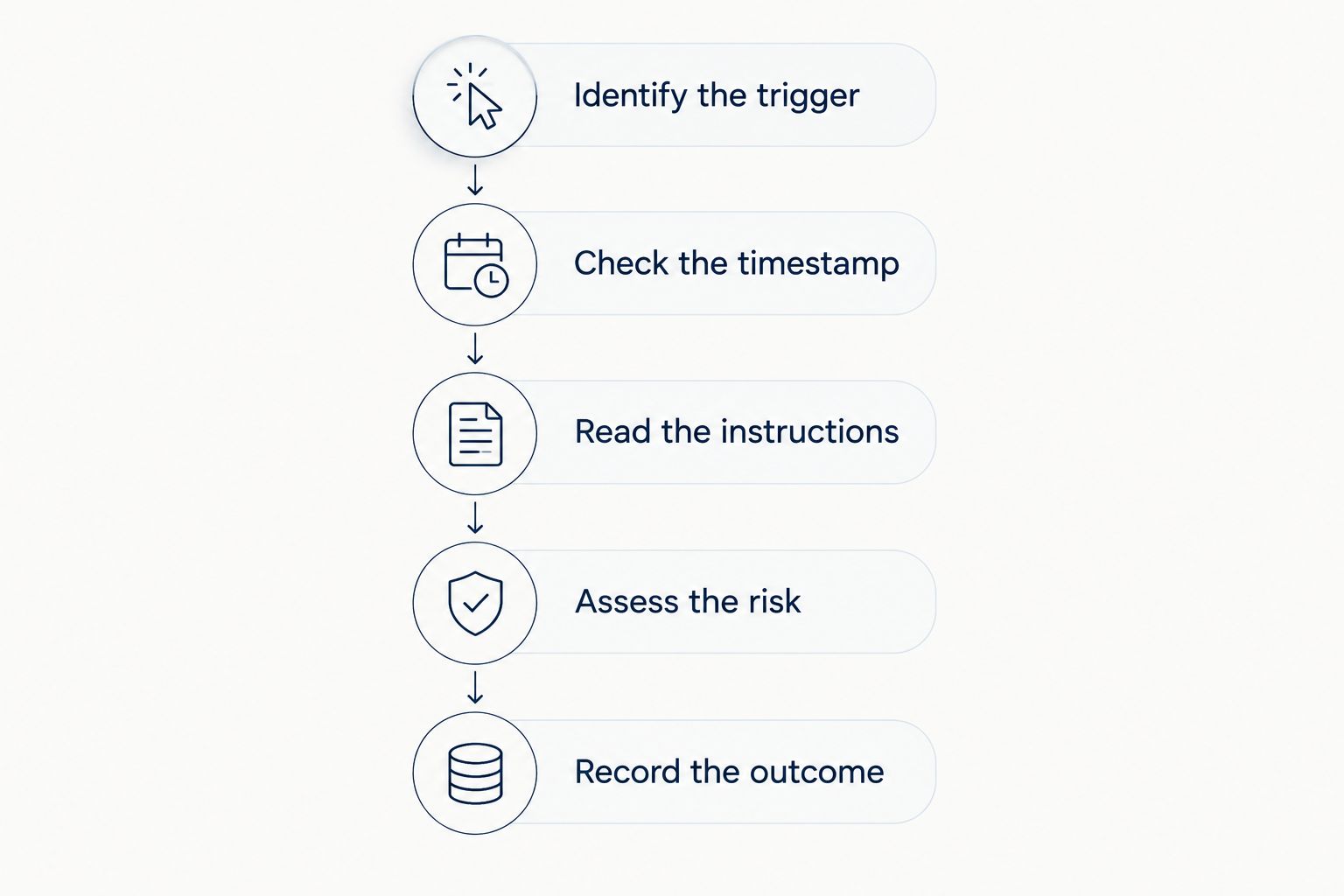
Repeat this process in a practice environment before committing real money. Practice helps you check your understanding and workflow, but simulated results do not establish what your live execution or returns will be.
Compare the alert types, not just the apps
An app can provide several notification types. Compare their purpose before deciding which notifications deserve your attention.
| Alert type | Best for | What it tells you | Main limitation |
|---|---|---|---|
| Price alert | Monitoring a level you selected | A price condition has been met | It supplies no trading rationale by itself |
| Indicator alert | Following a defined technical rule | A calculation or chart condition has triggered | The condition can trigger without a sustained market move |
| Economic-event alert | Tracking scheduled announcements | An event is approaching or a release has occurred | It does not establish the direction of the market's response |
| Signal alert | Reviewing a provider's trade idea | A proposed opportunity, with details that depend on the provider | The idea can be incomplete, become outdated, or lose money |
Choose the alert type that matches your task. A price notification is sufficient when you already have a plan; it is not a substitute for that plan.
Price alerts: best for monitoring your own levels
A price alert tells you that a specified market condition has occurred. Its advantage is a narrow, understandable purpose: you know what you asked the app to watch.
Check which price triggers the notification. Forex quotes include a bid, the price at which you can sell, and an ask, the price at which you can buy; the difference is the spread. A chart level and your available execution price are not necessarily identical.
Also establish whether the alert repeats, expires, or remains active after triggering. Those details affect how you interpret another notification about the same level. Do not treat repeated notifications as independent evidence that a trade is stronger.
The limitation is straightforward: reaching a level does not tell you whether to buy, sell, or stay out. That decision needs its own reasoning.
Indicator alerts: best for checking a defined rule
An indicator alert reports a condition derived from market data, such as a moving-average crossover. A moving average summarizes prices over a selected period; its appearance changes when you change that period or the chart timeframe.
Check the indicator settings and whether the rule uses a completed candle or a candle still forming. A candle represents price movement during a defined interval. A condition visible before that interval ends can disappear before the candle closes.
The benefit is repeatability when the rule and settings are explicit. The drawback is that a technical trigger does not establish that the next price move will favor you.
For a 2026 comparison, save the settings alongside each test notification. Comparing alerts without their settings leaves you comparing labels rather than equivalent rules.
Signal alerts: best for reviewing someone else's trade idea
A signal offers a trade idea rather than merely reporting a price condition. Assess whether the information lets you understand the intended entry, the circumstances that invalidate the idea, and how updates change the original instructions.
Do not assume that every provider supplies those details. A direction such as buy or sell is not enough to determine your position size, acceptable loss, or response to a changed market.
The benefit is access to an external idea you can examine. The drawback is dependence on another party's reasoning and communication, neither of which removes your responsibility for the order.
An alert is information, not permission to trade. If you cannot explain the idea without repeating the provider's confidence claims, leave it in your review log rather than placing an order.
Why forex alert usefulness varies
Notification usefulness depends on more than whether a message appears on your phone. Check these factors during your evaluation:
- Trigger definition: A precise rule lets you understand why an alert appeared. An unexplained recommendation leaves the decision basis unclear.
- Timing: An idea issued earlier can refer to conditions that no longer exist when you read it. Check the current market rather than assuming the entry remains relevant.
- Quote differences: Compare the alert's reference price with your broker's available bid and ask. A level on one feed does not guarantee an identical executable price elsewhere.
- Delivery settings: Device permissions, connectivity, and notification settings affect whether you see a message. Test the setup you actually intend to use.
- Update handling: A changed entry, cancellation, or exit instruction needs a clear connection to the original idea. Keep both versions instead of replacing the first record.
These checks establish whether you can use the information consistently. They do not establish future profitability, even when every notification arrives correctly.
What should you check about pips and position size?
For most currency pairs, a pip represents 0.0001 units of the quoted currency. For pairs quoted in Japanese yen, a pip conventionally represents 0.01 units. Some platforms also display fractional pips, so confirm the quote format rather than counting every final digit as a pip.
A standard forex lot conventionally represents 100,000 units of the base currency, the currency named first in the pair. Your broker's contract specifications determine the actual order sizes you can use.
These terms matter because a distance on a chart is not the same thing as an amount of money at risk. The financial effect depends on position size, the currency pair, and your account currency.
Do not copy another trader's lot size simply because you received the same signal. Establish your own position size and review the broker's order details before submitting anything. A stop-loss order also does not guarantee execution at its requested price during gaps or fast market moves.
How can you test alerts without trusting a winning screenshot?
Keep a forward record: save each alert when you receive it, before you know the outcome. Include its timestamp, original wording, reference price, later updates, and your reason for acting or passing.
Review the whole record, not a selection of attractive examples. A screenshot of a successful trade cannot show whether unsuccessful ideas were omitted, whether instructions changed, or whether the displayed entry was available when you received the message.
For your 2026 evaluation, distinguish three separate questions:
- Did the notification arrive and display correctly?
- Could you understand and follow the original instructions?
- What happened after accounting for your actual execution and trading costs?
A good delivery result does not answer the profitability question. Likewise, a losing trade does not by itself prove that the app failed to deliver its alert correctly.
Is a forex signals app the same as a broker app?
A forex signals app provides information; a broker's trading service handles order execution. Some platforms combine functions, but you must verify the actual arrangement rather than infer it from the word app.
Tradeforex best fits readers seeking forex signals inside a web app rather than a broker execution app. Subscribers receive Tradeforex signals inside the Tradeforex web app; the service does not execute trades.
If that delivery model matches your needs, review Tradeforex before subscribing. Receiving ideas in one place is useful only if you can assess them independently; subscription access is not evidence that an idea suits your finances or will produce a profit.
FAQ
What's the best way to evaluate a forex trading app with alerts?
The best approach is to check the trigger, timestamp, instructions, risk, and subsequent updates before judging results. Keep the original notifications so later outcomes do not change your interpretation of what was actually provided.
Can forex trading alerts guarantee profits?
Forex trading alerts cannot guarantee profits. Prices can move against an idea, and execution differences or trading costs can change the outcome even when you follow the instructions.
Are price alerts better than forex signals for beginners?
Price alerts are better for monitoring levels in a plan you already understand; forex signals provide external ideas to evaluate. Neither replaces learning how orders, position sizing, and losses work.
Do Tradeforex signals automatically place trades?
Tradeforex signals do not automatically place trades. Subscribers receive signals inside its web app, while trade execution remains separate.
Should I follow an alert if I see it late?
Do not assume a late alert still applies. Check the current price, original entry conditions, and any cancellation or update before deciding whether the idea remains relevant.
Does successful demo testing mean an alert service will make money?
Successful demo testing does not establish future live profits. It helps you assess your workflow and understanding, while live execution and trading costs require separate attention.
What should I check before subscribing to forex signals in 2026?
Before subscribing in 2026, verify where signals arrive, what information they contain, how updates are communicated, and the current subscription terms. Avoid treating selected winning examples as a complete performance record.
One last thing
Add a reason for passing to your alert log. An outdated entry, an unclear exit, or an unfamiliar position size is useful evidence about whether a service fits your needs—even when the trade later appears profitable.
Your 2026 decision should include the trades you declined, not just the trades you copied. The ability to reject an idea you do not understand is part of evaluating alerts responsibly. Forex trading involves a risk of loss; educational information and signals do not replace your own assessment.