To check forex trading app leverage, divide the total value of your open currency positions by your current account equity, with both amounts expressed in the same currency. Then check used margin, free margin, and your broker’s liquidation rules: the maximum leverage advertised in 2026 does not tell you how much exposure you currently carry.
- Check forex trading app leverage using total position value divided by current equity, not the broker’s advertised maximum.
- Margin measures collateral requirements; it does not cap trading losses.
- Review open trades and pending orders before following forex signals.
- Tradeforex delivers forex signals through its web app; trade execution remains separate.
Why this matters
An app can show enough free margin to open another trade while your account already carries substantial exposure. The permission to place an order is not evidence that the order fits your risk limit.
When choosing a forex trading app before subscribing to signals, prioritize whether you can inspect position size, equity, and margin clearly. In 2026, a clear order screen matters more to this check than the largest advertised borrowing ratio.
How do you check leverage exposure in a forex trading app?
Calculate effective leverage from open exposure and current equity, then check what happens if prices move against you. Account labels differ between brokers, so confirm each field’s definition rather than assuming similar names mean identical calculations.
Follow this sequence before placing an order:
- Find account equity. Use the current figure that includes unrealized trading gains and losses. Balance alone leaves out what is happening in open positions.
- Open the positions screen. Record each currency pair, direction, position size, and current position value where displayed.
- Convert position values. Express each position’s notional value in your account currency before adding values together. Do not add euros, pounds, and dollars as though they were interchangeable.
- Calculate gross exposure. Add the absolute notional values of your open positions. Keep long and short positions visible rather than automatically canceling them out.
- Divide by equity. Total gross exposure divided by current equity gives a gross effective-leverage ratio.
- Check the order preview. Read the proposed position size, additional margin requirement, and resulting account figures before submitting another trade.
For a 2026 account review, use live figures from the same account and approximately the same moment. A screenshot from before a deposit, withdrawal, or market move does not describe your current exposure.
Which account figures should you compare?
These fields answer different questions. Do not substitute margin level for effective leverage.
| Account field | What it tells you | What it does not tell you |
|---|---|---|
| Balance | Your account amount excluding unrealized results, subject to the broker’s accounting definitions | The current effect of open trading gains or losses |
| Equity | Your current account value including unrealized results | The size of every underlying position |
| Notional exposure | The underlying currency value controlled by your positions | Your loss at a particular exit price |
| Used margin | The collateral allocated to support positions | The maximum amount you can lose |
| Free margin | Equity remaining after used margin under the broker’s calculation | Whether another trade is sensible |
| Margin level | Equity relative to used margin, usually expressed as a percentage | The same ratio as exposure divided by equity |
If the app hides notional value, look for position units, contract size, and contract specifications. Ask the broker to explain the calculation if those fields remain unclear; opening a trade is not a useful way to discover what its size means.
How to read position size without confusing lots and exposure
A lot is a sizing convention, not a statement of how much money you have deposited. In standard retail forex terminology, a standard lot represents 100,000 base-currency units, a mini lot represents 10,000 units, and a micro lot represents 1,000 units.
The base currency is the first currency in a pair. For EUR/USD, a standard lot conventionally represents 100,000 euros of base-currency exposure, not 100,000 US dollars of account equity.
Confirm the broker’s contract specification before converting lots into exposure. An app’s label or decimal display is not enough, particularly when the same platform also offers instruments with different contract sizes.
Your practical check is straightforward:
- Find whether the size field shows lots or currency units.
- Read the contract size for that specific instrument.
- Convert the resulting position value into your account currency.
- Compare that value with current equity, not just the deposit you originally made.
This separates three concepts beginners often merge: the money in the account, the collateral needed for a trade, and the currency value the trade controls.
What does effective leverage tell you about a price move?
An effective-leverage ratio of 10:1 means exposure equals ten times current equity. For a single linear position, an adverse 1% change in its value corresponds to a 10% change in equity before trading costs and other adjustments, assuming no other positions or cash flows affect the account.
That is arithmetic, not a forecast. Currency movements, account-currency conversions, financing, and additional positions can make a real account behave differently from that simplified relationship.
The same position becomes more highly leveraged when equity falls. You do not need to open another trade for the ratio to rise: an unrealized loss reduces the denominator while the position remains open.
The reverse also matters. A profitable open position can increase equity and lower the ratio without changing the number of units held, but that temporary improvement does not guarantee a safe exit or protect against a reversal.
Check the new order before you confirm it
Your current exposure describes the account before the next trade. A new signal or pending order changes that picture, so repeat the check using the proposed position rather than treating the existing account summary as approval.
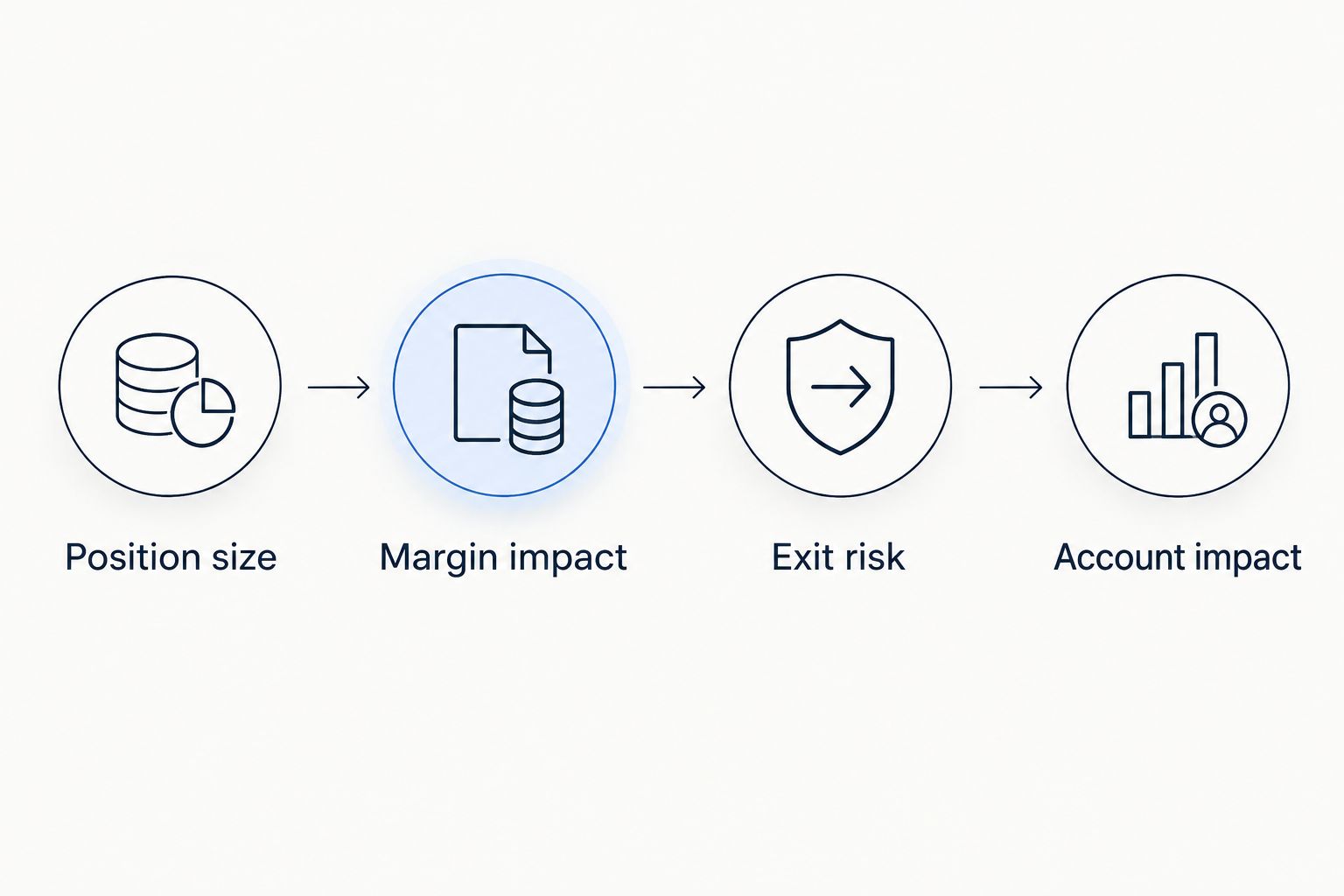
Position size
Read the order quantity before anything else. A familiar-looking number can represent lots on one screen and units on another; verify the field rather than relying on habit.
Margin impact
Check how much additional margin the order requires and what free margin remains afterward. Lower margin requirements allow a larger position with the same collateral, but they do not reduce the position’s sensitivity to market movements.
Exit risk
Check the intended stop level, the distance from entry, and the potential account-currency loss at that distance. A stop-loss order is an exit instruction, not a guarantee of execution at the requested price.
Account impact
Review the proposed trade alongside existing positions and pending orders. Several trades can depend on the same currency moving in the same direction, even when the pair names differ.
Keep pending orders separate from open exposure until they execute, but include their possible effect in your decision. Several triggered orders can create a different account from the one you reviewed before placing them.
Why forex trading app leverage varies
The displayed ratio and the exposure you actually carry depend on different inputs. During a 2026 comparison, separate the broker’s trading conditions from changes caused by your own account.
- Position size: More units increase notional exposure when other inputs stay unchanged. Reducing the order size reduces exposure without requiring a different broker setting.
- Current equity: Open losses, withdrawals, and charges reduce equity. A lower equity figure raises effective leverage when exposure remains unchanged.
- Currency conversion: Positions denominated in different currencies need a common account-currency value. Exchange-rate changes affect that conversion.
- Instrument and account rules: Margin requirements can differ across instruments and account arrangements. Read the applicable specification rather than applying one pair’s rule to every trade.
- Overlapping positions: Trades can share a currency exposure or move together. A gross ratio alone does not describe those relationships.
- Order status: Open positions create current exposure; pending orders represent potential additional exposure. Check both, but do not label them as the same thing.
A lower displayed margin requirement is therefore not automatically an advantage. It gives you room to take exposure; it does not decide how much exposure you should take.
Does a hedged position remove leverage exposure?
Opposite-direction trades can reduce net directional exposure, but gross exposure still records the positions you hold. Brokers can apply different margin treatment to hedged positions, so confirm how your account calculates collateral.
Gross exposure is useful as an inventory check, not a complete risk model. It can overstate directional risk when positions offset, while netting positions too casually can hide costs, imperfect offsets, and the effect of closing one side.
Is free margin the same as money you can safely risk?
Free margin is collateral capacity, not a personal loss budget. An app can allow an order that exposes more of your equity than you intended to lose.
Set the acceptable account-currency loss separately, then examine position size and exit distance together. Neither a small margin requirement nor a familiar signal provider replaces that calculation.
Should you change the app’s maximum leverage setting?
A lower maximum setting can restrict the size you are able to open, but it does not replace checking actual exposure. Review any existing positions and the broker’s rules before changing account settings.
Position size determines the exposure you choose; the account maximum determines a constraint. Choosing a smaller trade can reduce effective leverage even when the maximum setting stays unchanged.
How to check exposure before following a forex signal
A signal is a trade idea, not an instruction to copy somebody else’s account risk. Before acting, identify the instrument, direction, intended entry, exit conditions, and the position size that fits your own account; seek clarification when the idea lacks information needed for that decision.
Tradeforex is best suited to readers seeking forex signals in a web app, not a broker app that executes trades. Subscribers receive its signals inside the Tradeforex web app; assess each idea against the equity, exposure, and order conditions in your separate broker account.
Keep the distinction practical: receiving an idea does not reserve margin, size your broker order, or guarantee an outcome. Do not assume a signal subscription includes automatic execution or account-level risk controls.
Review Tradeforex before subscribing
Evaluate the forex signals service separately from your broker’s execution and account-risk controls.
FAQ
Where do I find leverage in a forex trading app?
Look in account settings for the maximum permitted ratio, then check positions and equity for actual exposure. Effective leverage requires dividing position value by current equity; the advertised maximum is not that calculation.
Should I use balance or equity to calculate forex leverage?
Use current equity to calculate effective leverage because equity includes unrealized trading results. Confirm your broker’s field definitions and express exposure and equity in the same currency.
Does a stop-loss order make high leverage safe?
A stop-loss order does not make high leverage safe or guarantee the requested exit price. Gaps and execution conditions can produce a different fill, so check position size as well as the stop level.
Can my forex leverage increase without opening another trade?
Your effective leverage can increase when equity falls even if position size stays unchanged. Open losses and account withdrawals can therefore change exposure relative to equity.
What should I check before following a forex signal in 2026?
Check the proposed position size, exit conditions, current equity, and combined exposure before following a forex signal in 2026. A trade idea does not establish an appropriate risk level for your account.
Does Tradeforex execute the forex signals I receive?
Tradeforex provides forex signals inside its web app; do not treat the service as a broker execution app. Check execution arrangements and account exposure separately with your broker.
One last thing
A falling account can become more leveraged without a single new order. That is why checking exposure only when you open a trade leaves a gap in your risk review.
For your 2026 routine, repeat the calculation after material equity changes and before adding exposure. If you cannot explain the position value, margin requirement, and intended exit in plain English, pause the order rather than guessing.