Check a forex signal against your trading app by matching the currency pair, quote source, timeframe, timestamp, and current price before comparing the entry and exit instructions. Then check whether the proposed trade still applies and whether you understand its risk. A similar-looking chart is not enough: different price feeds, candle boundaries, and bid or ask prices can change what you see.
- Forex trading app charting checks start with the same pair, timeframe, price source, and signal timestamp.
- Tradeforex delivers its forex signals inside its web app; distinguish signal delivery from broker execution.
- Check entry conditions, stop-loss instructions, and spread before treating a signal as actionable.
- Use a demo account to practice chart checks; matching a signal never guarantees a profitable trade.
How do you check forex trading app charts against a signal?
Use this sequence for your 2026 chart checks. Confirm that you are comparing the same market and moment before judging whether the chart supports the signal.
- Match the pair. Check the full currency symbol and its order.
- Check the feed. Identify the broker or data source and the displayed price type.
- Match the timeframe. Use the candle interval named in the signal.
- Check the time. Compare the signal timestamp, time zone, and chart clock.
- Check the entry. Distinguish an immediate instruction from a conditional setup.
- Check the exits. Identify the stop-loss and any target or cancellation condition.
- Review the risk. Check position size and execution details separately from the chart.
Why this matters
A signal describes a trade idea; a broker's trading app is where you inspect the market and submit an order. Those functions are separate. For readers using Tradeforex, keeping that distinction clear prevents a signal notification from becoming an automatic instruction to trade.
Charts also answer a narrower question than beginners expect. A chart can show whether price has reached a stated level, but it cannot prove that the next move will follow the signal. Your 2026 checklist should separate matching the setup from deciding whether to accept the risk.
Match the currency pair before reading the candles
Start with the complete instrument name, not the shape of the chart. EUR/USD and USD/EUR reverse the order of the currencies: the first currency is the base, and the second is the quote currency. Reversing them changes what a rising price means.
Also check any suffix attached to the symbol. Brokers use naming conventions that can distinguish instruments or account settings; read the instrument details rather than assuming similar names mean identical contracts.
Before moving on, confirm:
- Currency order: the base and quote currencies match the signal.
- Instrument type: the product in the app matches the market the signal describes.
- Quote status: the displayed price is updating rather than showing a stale value.
- Contract details: you understand how the broker defines trade size and price increments.
Do not substitute a related pair because its chart looks similar. A signal for one currency pair is not an instruction for another.
Match the chart timeframe and candle status
A 1-minute candle summarizes price activity over a different interval from a 5-minute candle or a 1-hour candle. Changing the interval changes the visible structure, even though you are looking at the same currency pair. Use the signal's stated timeframe first.
Next, establish whether the setup depends on a completed candle. An open candle continues changing until its interval ends; an apparent breakout during that interval is not the same observation as a close beyond a level.
For forex trading app charting in 2026, check these separately:
- Chart interval: the candle duration used to assess the setup.
- Entry trigger: the event that makes the trade idea eligible for consideration.
- Holding period: how long the trade is intended to remain open, if stated.
A short chart interval does not, by itself, specify the holding period. Likewise, a signal's publication time does not establish an expiry time. If the instructions leave either unclear, do not supply your own interpretation and call it the original setup.
Compare bid, ask, and midpoint charts
The bid is the quoted selling price, and the ask is the quoted buying price. The spread is the difference between them. A midpoint sits between the bid and ask; it is not necessarily a price at which you can execute an order.
These quote types explain why a chart can appear not to touch an entry while an order fills, or why a visible touch does not establish that your order should have filled. Check your broker's chart and order documentation.
| Price display | Best for | What it shows | Limitation |
|---|---|---|---|
| Bid chart | Checking quoted selling prices | The bid side of the market | Does not show the ask price needed to assess a purchase |
| Ask chart | Checking quoted buying prices | The ask side of the market | Does not show the bid price needed to assess a sale |
| Midpoint chart | Reviewing price movement between quotes | A value between bid and ask | Does not establish an executable price |
Compare the price side relevant to the order, not just the nearest candle. Your entry, exit, and stop-trigger rules depend on the broker's execution arrangements and the direction of the position.
If the app provides only one chart type, inspect its quote panel and documentation rather than guessing which price the candles represent.
Check the timestamp before deciding a signal is current
Read the publication timestamp and any later update before comparing a signal with today's chart. A screenshot can show a valid historical setup without describing a trade that remains open for entry now.
Check whether the timestamp uses your local time, the provider's time zone, or the broker's server time. Different candle boundaries can also produce different candle shapes, especially on longer intervals.
Use a consistent 2026 record for each check: signal publication time, chart time zone, and the time you reviewed it. Keep the original instruction separate from later amendments so you can tell which information was available at each stage.
If the signal includes an expiry or cancellation condition, apply it. If it does not, ask for clarification rather than inventing a deadline. A recent notification is not proof that the original entry remains available.
Separate the entry trigger from the current market price
Read the entry instruction literally. An instruction to buy at the current market differs from a conditional idea that requires price to reach a level or a candle to close beyond it.
Use this sequence before considering an order:
- Read the instruction. Identify the pair, direction, and stated entry condition.
- Locate the level. Mark the entry on the matching chart without changing its value.
- Check the trigger. Establish whether the required event has actually happened.
- Check the exits. Locate the stated stop-loss and target, if supplied.
- Review the risk. Decide whether the proposed exposure fits your own limits.
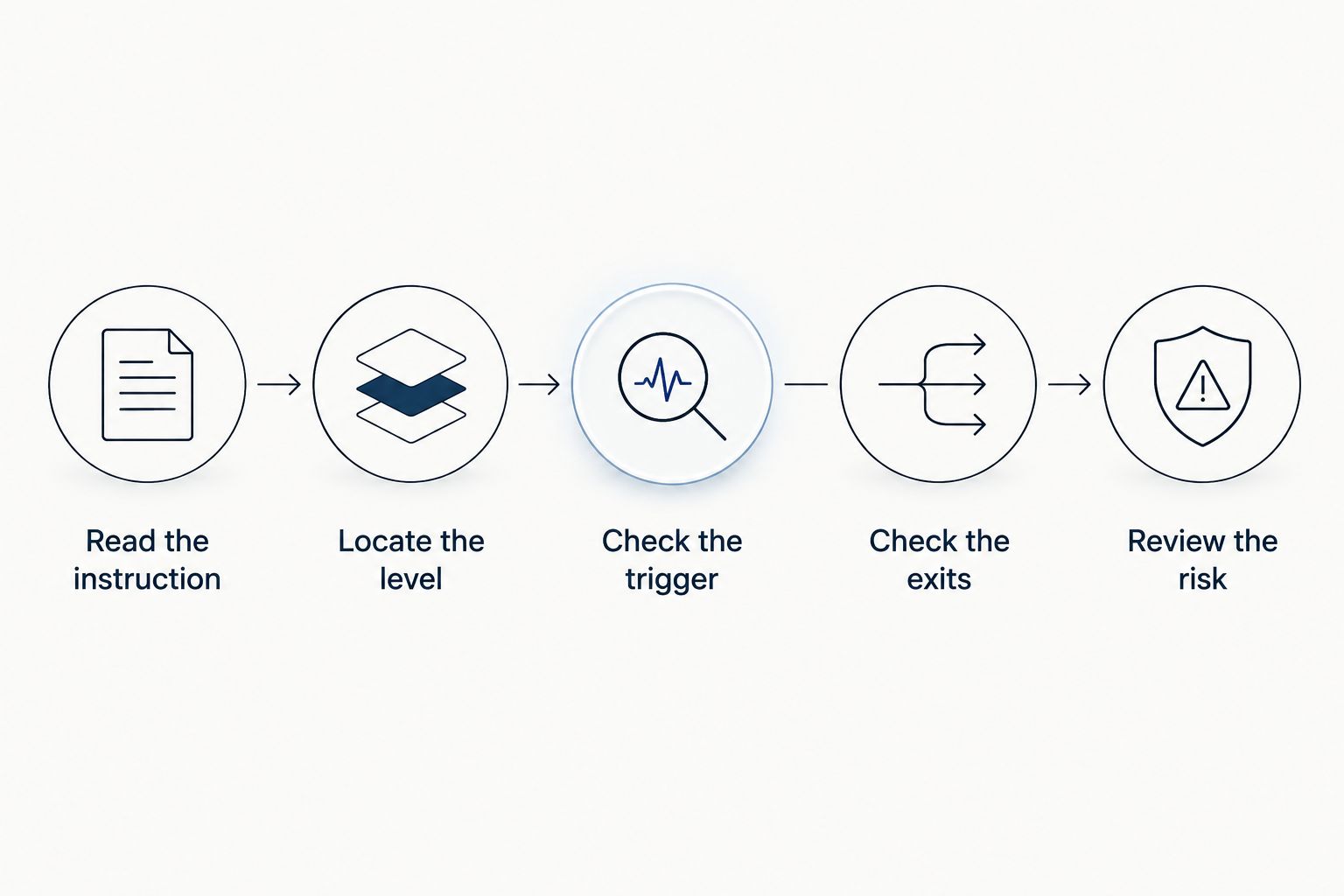
If price has already moved beyond the stated entry, do not assume a new entry preserves the original trade idea. The distance to the stop and target changes when the entry changes. That alters the potential loss and reward before any trading costs.
Why charts and signals differ
A disagreement between charts is a reason to investigate, not immediate proof that either source is wrong. These are the main checks to make:
- Different price feeds: forex quotes can differ between brokers and data providers because there is no single centralized spot-forex exchange price.
- Different price sides: a bid chart, ask chart, and midpoint chart display different values.
- Different candle boundaries: server time zones can change how activity is grouped into candles.
- Open versus closed candles: a live candle changes while a completed candle records a finished interval.
- Delayed information: a delayed feed, stale screen, or late notification separates the displayed setup from current conditions.
- Different chart settings: chart type and indicator settings change how the same underlying activity appears.
Check the basic settings before adding indicators. More lines on a chart do not resolve a mismatch in the pair, timestamp, or quote source.
Check the risk outside the chart
A stop-loss is an instruction intended to limit a loss, not a guarantee of an exact exit price. Fast markets, gaps, and execution conditions can affect the fill. Read the broker's order rules before relying on a chart marker as a promised outcome.
Position size matters just as much as the distance between entry and stop. The same visible setup can produce different account exposure when trade size changes. Leverage increases exposure relative to the funds committed; it does not improve the quality of the signal.
Before placing an order, confirm the following in the broker's order ticket:
- The intended buying or selling direction.
- The order type and any activation condition.
- The position size and margin requirement.
- The stop-loss and target instructions you actually intend to submit.
- The displayed spread and applicable execution terms.
A chart match is a verification step, not a risk assessment. If you cannot explain how the position loses money, keep the exercise in a demo environment.
Where a signals service fits
Tradeforex is best for readers seeking its forex signals inside a web app, not broker trade execution. Subscribers receive the service's signals in that web app; you still need to distinguish the trade idea from the broker account used to place an order.
The benefit of that distinction is practical: you can evaluate an instruction before acting on it. The limitation remains equally clear: signal delivery does not guarantee a suitable entry, correct position size, or profitable outcome.
Before subscribing to any signals service in 2026, inspect the information it actually provides. Check whether you can understand the market, timing, entry conditions, and risk instructions without filling gaps yourself. Do not assume those details exist merely because a service uses trading terminology.
What if the chart has already passed the signal's entry?
A passed entry does not automatically authorize a replacement entry. Recheck the original conditions and any provider update, because entering elsewhere changes the distance to the planned exits.
If you cannot establish that the setup remains applicable, leave it unexecuted. Missing a trade is different from accepting an instruction you no longer understand.
Do matching indicators confirm that a signal is reliable?
Matching indicators confirm that you have reproduced those chart settings, not that the signal will succeed. Check the indicator name, calculation settings, and price input before comparing its output.
Reliability requires more than a matching screenshot. Do not treat selected winning examples or an attractive chart as evidence of future results.
Should you practice chart checks in a demo account?
A demo account lets you rehearse chart comparison and order entry without risking real trading funds. Use it to catch wrong symbols, mistaken timeframes, and misunderstood order types.
Demo execution does not establish how a live account will behave. Treat practice as a way to learn the process, not as proof of expected returns.
FAQ
What's the first forex trading app charting check before following a signal?
Match the full currency pair and currency order first. Then confirm the chart timeframe, quote source, and signal timestamp before inspecting the entry.
Why does my forex app show a different price from the signal?
Different feeds, bid or ask displays, and timestamps can produce different prices. Identify the source and price type before deciding that either display is incorrect.
Should I use a 5-minute chart or a 1-hour chart for a signal?
Use the timeframe stated in the signal. A 5-minute chart and a 1-hour chart summarize different intervals, so substituting one changes the setup you are reviewing.
Does a candle touching the entry mean my order should fill?
A candle touching a level does not establish that your order should fill. The relevant bid or ask price, order type, and broker execution rules also matter.
Can a stop-loss guarantee the loss shown on my chart?
A stop-loss does not guarantee an exact fill price. Market gaps, fast price changes, and execution conditions can change the final exit.
Does Tradeforex place trades through its web app?
Tradeforex delivers subscribers' forex signals inside its web app; that is separate from broker trade execution. Review the idea and use your broker's own order process if you decide to trade.
Can matching a forex signal guarantee a profit?
Matching a forex signal cannot guarantee a profit. It establishes that you checked the instructions against the chart, not that the market will move as expected.
One last thing
For your 2026 trading journal, save both the chart and the order details—not the chart alone. Record the quote type, timeframe, and review time alongside the original signal.
That pairing helps distinguish a misunderstood setup from an execution issue. If you cannot reconstruct why you entered, pause before following another signal.