
Best overall: the broker-and-app combination you can test under matching conditions. Best for learning order controls: MetaTrader 5. Best for an existing MetaTrader 4 account: MetaTrader 4. For forex trading apps ranked by execution speed in 2026, treat any universal winner with caution: the app alone does not determine how quickly your order fills.
- Forex trading apps ranked by execution speed need comparable broker conditions, not stopwatch claims about screen responsiveness.
- MetaTrader 5 suits beginners practicing order controls; its name alone does not establish faster execution.
- Tradeforex delivers forex signals through its web app; your broker handles trade execution.
- Compare accepted orders, rejected orders, and fill differences before choosing an execution workflow.
Why this matters
A fast-looking app can still deliver an unfavorable fill. A fill is the actual execution of your order, including the price and quantity you receive; a responsive button or moving chart is not evidence of that result.
You also need to separate signals from execution. Tradeforex provides forex signals through its web app, while your broker receives and executes your trading orders. A signal is a trade idea, not a guaranteed outcome or an instruction you must follow.
The ranking below prioritizes beginner workflows, not measured execution-speed winners. Choose a workflow you can understand and evaluate before treating speed as the deciding factor.
What makes the best forex trading app for execution?
Use these criteria for your 2026 shortlist:
- Comparable conditions: Compare the same currency pair, order type, and trading period. Different conditions do not establish which app executes faster.
- Order clarity: You should distinguish a submitted order from an accepted order and an executed trade.
- Fill quality: Check the actual execution price against the relevant quote, rather than judging speed alone.
- Risk controls: Practice entering trade size, stop-loss instructions, and exit orders without confusion.
- Usable records: Look for order history and transaction details that let you investigate what happened.
- Broker suitability: Check the broker’s legal entity, regulatory status, and account terms before comparing interface convenience.
A stop-loss is an instruction intended to close a position when the market reaches a specified level. It does not guarantee that exact exit price during gaps or rapidly moving markets.
Forex trading apps at a glance
This is a decision order for evaluating apps, not a latency league table. There are no comparable millisecond results here that justify naming a fastest platform.
| Option | Best for | Standout characteristic | Key limitation |
|---|---|---|---|
| Your broker’s native app | A direct manual-order workflow | Broker-specific account and order interface | Controls and execution arrangements differ by broker |
| MetaTrader 5 | Practicing order controls | Market and pending-order workflows | Broker conditions still determine execution outcomes |
| cTrader | Comparing order information | Order-entry and trade-history tools | Platform choice does not establish broker execution quality |
| MetaTrader 4 | Keeping an existing setup | Familiar forex order workflow | Familiarity is not proof of faster fills |
Keep execution speed and execution quality separate. A quickly filled order can still execute at a less favorable price than you expected.
1. Your broker’s native app: best for direct manual orders
A broker’s native app is the trading application supplied under that broker’s own name. Put it first on your evaluation list when you want to understand the account’s direct order workflow before adding another platform.
That position is not a speed award. The app’s design, the broker’s order handling, your connection, and market conditions all contribute to what happens after you submit an order.
Broker-native app pros:
- Gives you a direct starting point for checking the broker’s order process.
- Lets you evaluate the specific controls attached to your account.
- Helps you identify where account information and transaction records sit.
Broker-native app cons:
- Layouts and controls differ between brokers.
- A polished interface does not prove better execution.
- The label “native app” says nothing about the broker’s regulatory standing.
Best for: Beginners placing manual orders who want to evaluate one broker’s workflow without switching between platform interfaces.
Before selecting a native app in 2026, locate the order history, rejection messages, and position-closing controls. If you cannot explain an order’s status, a fast submission animation is not useful evidence.
Verdict: Hold until the broker and order workflow pass your checks.
2. MetaTrader 5: best for practicing order controls
MetaTrader 5 is a trading platform used through supporting brokers. It provides market-order and pending-order workflows, allowing you to practice the difference between requesting an immediate trade and setting conditions for a later entry.
A market order seeks execution at the available market price. A pending order waits for specified conditions; depending on its type, it can prioritize a price condition rather than immediate execution.
MetaTrader 5 pros:
- Supports practice with market and pending orders.
- Provides order and trade records for reviewing transactions.
- Offers a consistent platform framework across supporting brokers.
MetaTrader 5 cons:
- Account conditions and supported instruments depend on the broker.
- Learning more controls creates more opportunities for entry mistakes.
- Choosing MetaTrader 5 does not establish a faster order route.
Best for: Beginners who want to learn order mechanics before following time-sensitive trade ideas.
For a 2026 comparison, inspect the exact mobile workflow you intend to use. Familiarity with a desktop layout does not establish that you can enter and verify the same order comfortably on a phone.
Verdict: Hold until demo practice confirms you understand the controls.
3. cTrader: best for comparing order information
cTrader is a trading platform offered through supporting brokers. Its order-entry and trade-history tools give you a basis for examining what you requested and what the account recorded.
Use that information to ask better questions about execution. An order record is evidence about a transaction; the platform’s branding is not evidence that every supporting broker handles orders identically.
cTrader pros:
- Supports market and pending-order workflows.
- Provides transaction records for reviewing executed trades.
- Gives you another interface to compare against a broker’s native platform.
cTrader cons:
- Access depends on your broker and account.
- Switching interfaces adds another learning task.
- An app comparison cannot isolate speed when the underlying broker conditions change.
Best for: Beginners who prioritize reviewing order details and want an alternative platform interface to evaluate.
Check whether you can find the submitted order, its status, and the resulting trade without guessing. Then check the same process for a rejected or canceled order, because successful transactions do not show the whole workflow.
Verdict: Hold until the records and controls answer your execution questions.
4. MetaTrader 4: best for keeping an existing setup
MetaTrader 4 is a forex trading platform used through supporting brokers. If you already understand its order screen and account records, keeping that familiar setup can make your comparison easier to interpret.
Do not switch solely because another platform is described as newer or faster. A platform change that also changes the broker or account conditions does not isolate the effect of the app.
MetaTrader 4 pros:
- Supports a familiar market and pending-order workflow for existing users.
- Provides account history for reviewing transactions.
- Lets established users evaluate their current setup before replacing it.
MetaTrader 4 cons:
- Existing habits can conceal misunderstood settings.
- Broker conditions still shape execution results.
- Familiarity does not establish that another workflow is unnecessary.
Best for: Existing MetaTrader 4 users who need evidence before changing their trading setup.
Start by writing down what the current app fails to do clearly. If the problem is understanding order status rather than submitting orders, switching platforms without addressing that gap will not solve it.
Verdict: Hold the existing setup unless a specific, tested reason supports switching.
How to compare execution without misleading yourself
Use a repeatable practice routine, not a race between two buttons. A demo account helps you learn controls, but simulated fills do not establish the execution quality you will receive with real money.
For your 2026 practice log, use 1 currency pair, record 20 demo orders, and spread the exercise across 2 trading sessions. These are suggested practice parameters, not a statistically validated benchmark or a reason to open a live account.
Set conditions
Keep the currency pair and order type consistent. Record the account, platform, connection type, and trading period so you can identify differences that undermine the comparison.
Record outcomes
Write down the requested action, the order status, and the resulting fill where one occurs. Separate accepted, rejected, canceled, and still-pending orders instead of counting every button press as execution.
Review differences
Compare the execution price with the relevant quote and note any confusion in the workflow. Slippage means the execution price differs from the expected price; it can be favorable or unfavorable.
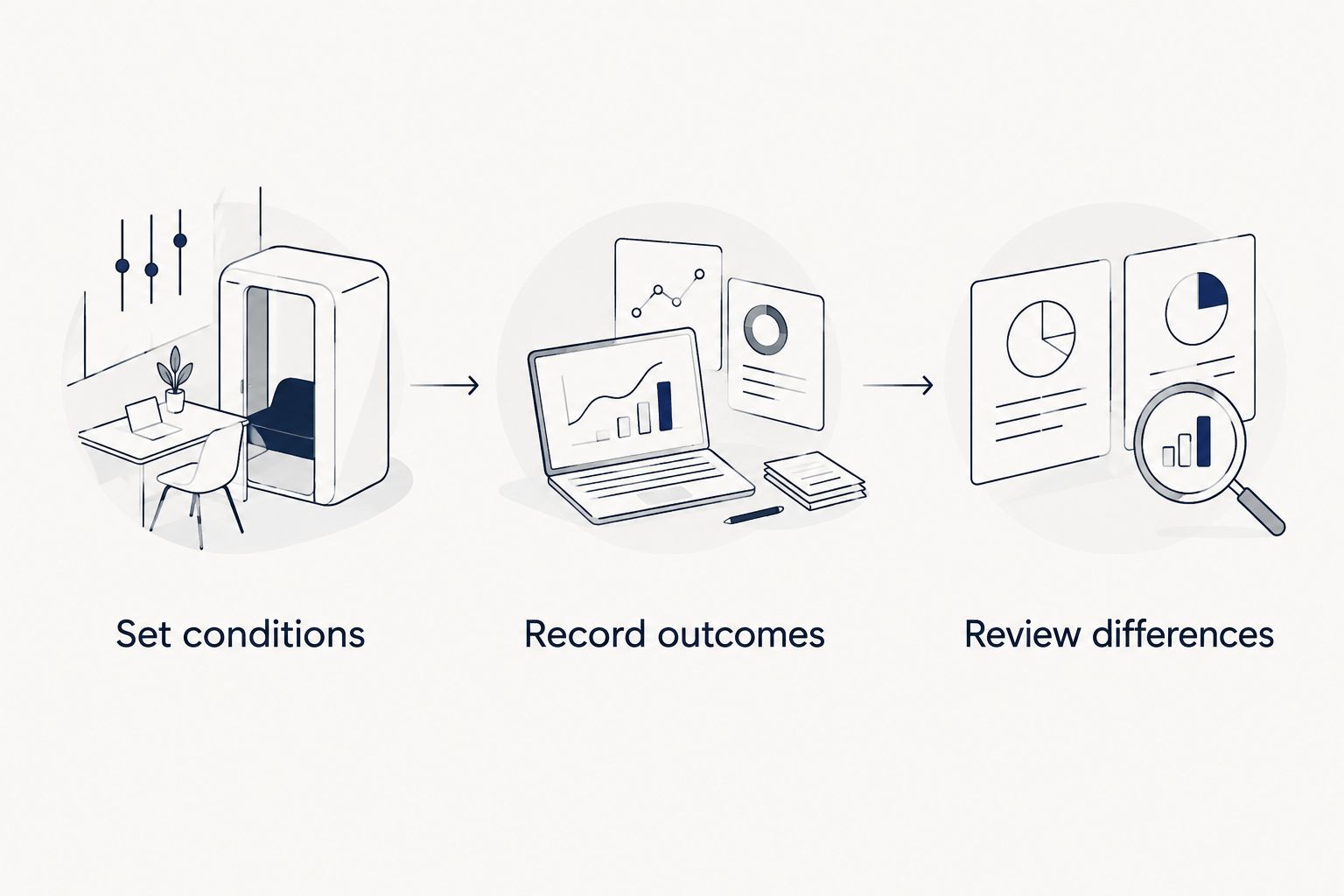
Do not infer a millisecond ranking from a phone stopwatch. The visible confirmation arrives after several processes, and your manual timing includes delays unrelated to the broker’s execution measurement.
Use this guide to testing a forex trading app with a demo account to organize practice before considering real-money exposure. Do not place live trades simply to complete an app comparison.
Where signals fit into execution speed
Tradeforex forex signals are best suited to readers seeking trade ideas, not broker order execution. Subscribers receive signals inside the Tradeforex web app; the broker trading platform remains a separate part of the workflow.
Distinguish these stages:
- Signal timing: When a trade idea becomes accessible to you.
- Decision time: How long you take to understand it and decide whether it fits your plan.
- Order handling: What happens after you submit an order to the broker.
A quicker final stage does not erase a delay earlier in the process. If the market has moved, copying an earlier entry without reassessing the current quote changes the trade you are taking.
Before subscribing, examine the service’s current information and terms. Confirm what a signal explains, how you will interpret it, and what you will do when a trade idea is unclear or no longer fits your risk limits.
Review Tradeforex before subscribing
Separate signal evaluation from broker execution before deciding whether a subscription fits your needs.
How we ranked
The order prioritizes direct workflow evaluation, learning order controls, reviewing transaction information, and preserving an understood setup. Those criteria support a beginner’s decision process; they do not establish comparative execution times.
A credible 2026 speed claim needs a defined measurement, comparable account conditions, and a stated observation period. A headline number without that context is not enough to choose a broker or trading platform.
Which forex trading app should you choose?
Start with the platform supported by a broker whose account terms and regulatory standing you have checked. Practice the order workflow, inspect transaction records, and reject any setup you cannot understand clearly.
Choose MetaTrader 5 to practice order controls, consider cTrader to compare its order-information workflow, and keep MetaTrader 4 when an existing setup remains understandable. Evaluate a broker-native app on its actual controls rather than assuming direct branding means faster execution.
Do not subscribe to signals to compensate for uncertainty about placing or closing trades. Resolve that uncertainty first.
FAQ
What is the fastest forex trading app in 2026?
There is no justified universal winner in this comparison. Execution depends on the broker, account conditions, order type, connection, and market conditions, not just the app.
Is MetaTrader 5 faster than MetaTrader 4?
The platform names alone do not establish which setup executes faster. Compare the exact broker accounts and order conditions rather than treating a platform generation as a speed result.
Does a fast forex app guarantee the price I see?
No, a fast app does not guarantee the displayed price. Market orders seek execution at available prices, and the resulting fill can differ from your expectation.
Can I test forex execution speed with a demo account?
A demo account helps you test controls and understand order records, but it does not establish live execution speed. Simulated fills are not proof of the outcomes a funded account will receive.
Does Tradeforex execute the trades in its signals?
Tradeforex provides forex signals through its web app, not broker trade execution. A signal is a trade idea; your broker handles the orders you submit.
Should I follow a forex signal after its entry price has moved?
Do not copy an earlier entry without reassessing the current quote and risk. A different entry changes the relationship between the entry, planned exit, and potential loss.
One last thing
The useful speed improvement can be refusing an unclear trade sooner. Before acting on a signal, identify the instrument, intended direction, current quote, and loss you are prepared to accept. If you cannot explain the order, submitting it faster makes the decision no better.