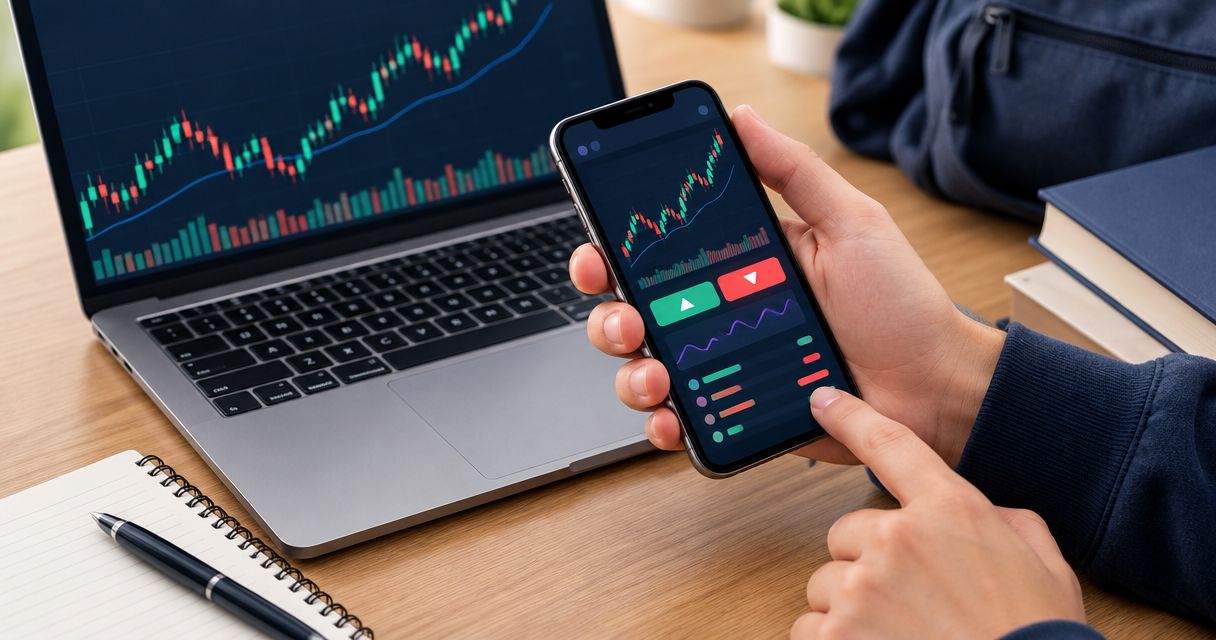
Instead of repeatedly checking charts after reading a signal, set up forex signal price alerts in your chosen charting or broker app so a notification prompts your next review. This 2026 workflow connects a signal to a manual decision—not an automatic trade—and keeps signal updates, price checks, and order placement separate.
- Tradeforex delivers forex signals inside its web app; use a separate, compatible app for forex signal price alerts.
- A price alert prompts a review. It does not validate a signal or place an order.
- Match the currency pair, trigger direction, and price source before saving an alert.
- Test notification delivery and remove alerts when the underlying signal changes or expires.
Why this matters
A forex signal is a trade idea. A price alert is a notification that a market condition has been met. Neither establishes that a trade suits your account, and neither guarantees an outcome.
Subscribers receive signals inside the Tradeforex web app. Tradeforex is best for readers seeking forex signals inside a web app, not a broker execution app. Keep the service that supplies the idea separate from the app that monitors prices and the broker that handles orders.
That distinction matters in 2026 when comparing apps: an attractive chart does not establish reliable notification delivery. Choose the alert workflow around what you can verify, not around how many notifications an app advertises.
Before you start
- Access and materials: Have access to the signal, its current status, and a charting or broker app that supports the alert condition you need. Keep the original signal available for comparison.
- Device permissions: Check notification permissions, connection status, and any device settings that restrict background activity. Confirm where the app delivers alerts before depending on them.
- The easily missed gotcha: Different feeds can show different quotes. Confirm whether the alert watches the bid, ask, or another displayed price; a chart touch does not guarantee an executable order at that level.
Use a demo account for any order-placement practice. A demo test checks your process without putting trading capital at risk, but it does not establish how a live order will fill.
Choose the right workflow component
Do not treat signals, alerts, and pending orders as interchangeable. Each has a different job, and combining them without understanding those jobs creates avoidable mistakes.
| Component | Best for | What it does | Advantage | Limitation |
|---|---|---|---|---|
| Forex signal | Reviewing a proposed trade | Communicates a trade idea | Gives you an idea to assess | Can be incomplete, outdated, or unsuccessful |
| Price alert | Manual review at a market level | Notifies you when its configured condition occurs | Reduces repeated chart checking | Does not place or protect a trade |
| Pending order | Conditional execution after a decision | Instructs a broker to act under specified conditions | Does not require a fresh manual submission at the trigger | Can execute without another review; execution depends on order terms and market conditions |
For this guide, choose a price alert as the review prompt—not a pending order as a substitute. A pending order belongs in a separate execution decision after you understand the trade and its risks.
For a beginner setting up this workflow in 2026, the objective is a repeatable check. Notification speed alone is not a reason to enter a trade.
Signal record
Create a record before opening the alert editor. The record is your reference when a notification arrives, especially if the signal has changed since you first read it.
- Record the pair. Copy the currency pair exactly, including its order. EUR/USD and USD/EUR are not interchangeable descriptions.
- Record the direction. Identify whether the idea proposes buying or selling. If the direction is unclear, stop rather than infer it from a chart.
- Record the conditions. Copy the stated entry condition and any supplied exit, risk, timing, or invalidation information. Leave absent details unresolved; do not turn a vague idea into precise instructions yourself.
- Record the status. Note when you reviewed the signal and whether it remains active according to the source. Use an unambiguous time zone.
- Define your review task. Write what you will check when notified: current signal status, current quotes, and whether the original condition still applies.
An entry level alone is not a complete trading plan. A stop-loss is an instruction intended to limit a loss, while a target describes an intended exit; neither guarantees execution at the requested level.
Expected result: You have a readable reference that distinguishes the original idea from your own decisions. If essential conditions are unclear, your next step is clarification—not alert creation.
Alert configuration
Use the alert controls in your chosen charting or broker app. Screen names differ by app; follow its current help instructions rather than assuming that another platform's button names or trigger behavior apply.
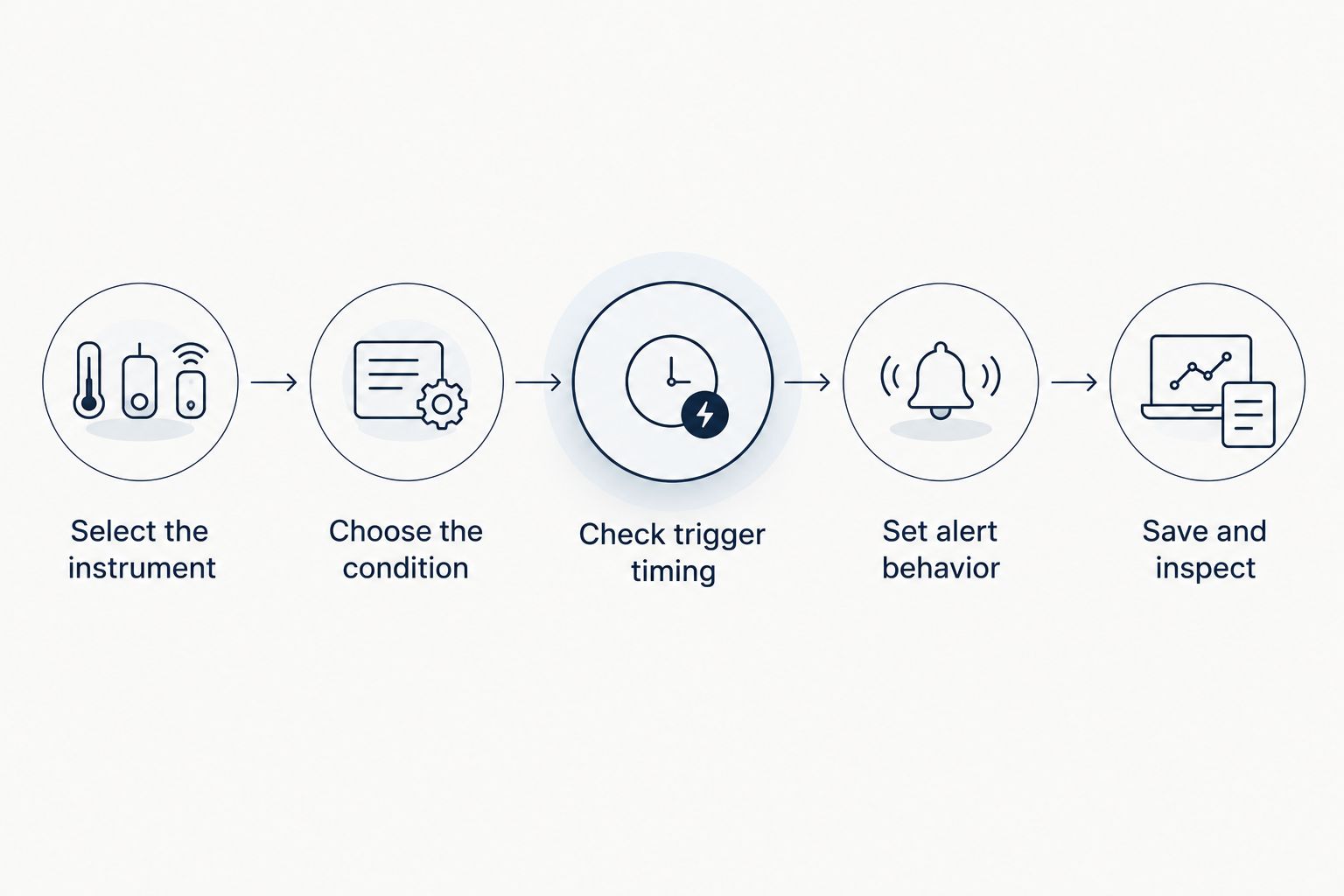
- Select the instrument. Open the exact currency pair from your signal record. Check the instrument description and quote source, not just a shortened symbol.
- Choose the condition. Decide whether your review requires a touch, a crossing, or another supported condition. A price crossing above a level is not the same condition as crossing below it.
- Enter the reference level. Copy the level from the current signal only when the alert type supports that instruction. Do not silently replace a range or conditional entry with an arbitrary single level.
- Check trigger timing. Determine whether the condition is evaluated during price movement or only after a chart candle closes. A candle summarizes price activity over a chosen interval; waiting for its close changes the trigger.
- Set alert behavior. Where supported, choose repetition, expiry, and delivery settings deliberately. Avoid repeated notifications unless each one serves a defined review task.
- Save and inspect. Reopen the saved alert and compare the instrument, condition, and level against your record.
Expected result: The saved alert matches the intended review condition. If the app cannot express that condition, do not describe the alert as an exact match.
Notification test and review routine
Test the route from alert creation to your device before using it to support a trading decision. In 2026, a saved alert is still only a configuration until you verify its delivery.
- Run a test. Use the app's documented test function if one exists. Otherwise, create a clearly labeled temporary alert under conditions you can observe, without placing an order.
- Inspect delivery. Check whether the notification arrives through the channel you selected. Repeat under the device conditions you normally use, including a locked screen if relevant.
- Compare 2 timestamps. Record the trigger time and receipt time where both are available. Distinguish the source time zone from your device time zone; do not invent timing precision the app does not provide.
- Reopen the source. When a real notification arrives, check the current signal rather than relying on an old screenshot or the alert's short message.
- Make a separate decision. Review the current quote, spread, trade size, and planned loss before submitting any order. The spread is the difference between the buying and selling quotes.
- Close the loop. Record whether you acted, skipped, or found the signal invalid. Delete the temporary test alert.
Expected result: You know where notifications arrive and what you will review after receiving one. Use the guide to evaluating forex trading app alerts to examine delivery behavior in more detail.
Update alerts whenever a signal changes
A signal update creates a second workflow: revise the review prompt without leaving the previous version active. This is a manual maintenance routine, not a claimed automatic connection between Tradeforex and another app.
- Changed entry condition: Disable the old alert first, compare the revised instruction with your record, then create or edit the replacement.
- Canceled or expired idea: Remove its alerts. A later price touch does not reactivate an invalid signal.
- Changed direction: Rebuild the condition from the revised idea. Changing only the notification message leaves the old trigger logic intact.
- Changed exit guidance: Review any open position separately. Editing a price alert does not amend a broker order or a stop-loss.
Give each record a clear status such as active, replaced, or closed. Keep the source update time alongside your review time so you can distinguish a late notification from an old instruction.
Expected result: Each active alert refers to a current idea and a known review task. You can explain why it exists without reconstructing a chain of old notifications.
Troubleshooting
The chart touched the level, but no alert arrived
Inspect the saved condition before recreating it. A crossing condition, a candle-close condition, and a simple touch condition do not behave identically. Then check whether the chart and alert use the same price source and whether the alert has expired or already triggered.
The alert appears in the app but not on your phone
Check app-level and device-level notification permissions, the selected delivery channel, connectivity, and background restrictions. Run another test after changing settings. Until delivery works under your normal conditions, do not depend on that channel for time-sensitive decisions.
The notification arrives after the market has moved
Compare the available timestamps and reopen the current quote. Do not assume that the original entry remains suitable. A late alert is a reason to reassess, not a reason to chase the signal. Skip the trade if you cannot establish that its conditions still apply.
The same idea produces repeated notifications
Check for duplicate alerts, repeating conditions, and old versions left active after an update. Keep repetition only when it has a defined purpose. Otherwise, disable duplicates and retain the alert that matches your current record.
The broker quote differs from the alert chart
Check the currency pair, feed, bid-versus-ask basis, and timestamp. A difference does not automatically establish an error: separate sources and quote types can differ. Use the broker's relevant executable quote when assessing an order, not a notification as proof of the fill you will receive.
Customize your workflow
Expand the process only after the basic loop works. For your 2026 setup, a useful alert is one you can explain, receive, and act on—or deliberately dismiss.
Use 3 checks before adding another alert: does it represent a current condition, does it require a distinct decision, and can you respond appropriately? More alerts are not inherently better. Duplicate reminders can obscure the notification that actually needs attention.
For Tradeforex forex signals, begin with how you will review ideas inside the web app, then choose a separate alert tool that fits that routine. The advantage is a clear separation between receiving an idea and deciding whether to trade. The limitation is manual upkeep: your external alerts do not stay aligned unless you check them.
Review Tradeforex before subscribing
Check the forex signals service against your review routine and trading-risk limits.
FAQ
How do I turn a forex signal into a price alert?
Copy the current currency pair and relevant entry condition into a compatible alert tool, then test delivery. Recheck the original signal when notified; the alert is a review prompt, not approval to trade.
Does Tradeforex automatically send signals to my broker?
Do not assume an automatic broker connection. Subscribers receive Tradeforex signals inside its web app; this guide uses a separate, manually configured alert workflow.
Will a forex price alert place a trade for me?
A standard price alert notifies you; it does not place a trade. Order execution requires a separate broker instruction or explicitly configured execution system.
Why did my chart reach the signal level without triggering an alert?
The alert condition or price source can differ from what you are viewing. Check touch versus crossing behavior, candle-close requirements, quote basis, expiry, and whether the alert already fired.
Should I enter immediately after receiving a forex signal price alert?
No. Check the current signal, executable quote, spread, position size, and risk before deciding whether to enter. Skip an idea whose conditions no longer apply.
Can I test forex signal price alerts without risking money?
Yes. Test notification delivery without placing an order, and use a demo account for order-placement practice. Demo results do not establish live execution quality.
What should I do when a forex signal is canceled?
Remove the related price alerts so an old condition cannot prompt a stale decision. Review any open broker orders or positions separately because deleting an alert does not change them.
One last thing
Deleting an alert does not cancel a trade, and closing a trade does not necessarily delete an alert. Keep those actions separate in your closing routine. After finishing with an idea, check the signal record, active alerts, and broker orders independently.