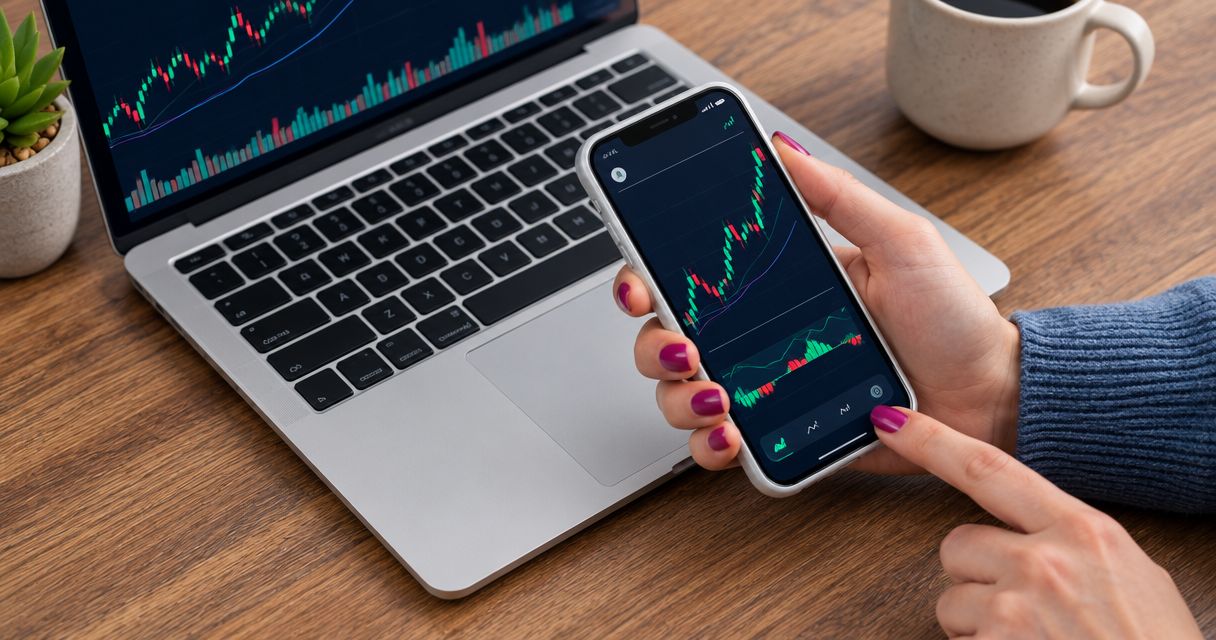
Best overall shortlist: MetaTrader 5 for checking orders and position size; best for an existing broker setup: MetaTrader 4; best for chart-first analysis: TradingView. The best forex trading apps for small accounts in 2026 are the ones that let you place an appropriately sized trade—not simply the ones with the most indicators.
- The best forex trading apps for small accounts must support suitable position sizes through your chosen broker.
- MetaTrader 5 is the default shortlist for order preparation; MetaTrader 4 fits an existing compatible setup.
- TradingView suits chart-first analysis, but trading connections depend on the broker.
- Tradeforex delivers forex signals inside its web app; your broker handles trade execution.
Why this matters
A small balance leaves little room for an oversized order or misunderstood trading cost. A polished chart does not solve either problem. Your broker's minimum trade size, order controls, and account terms matter more than the app's appearance.
Tradeforex is a forex signals service for readers seeking trade ideas inside a web app, not a broker trading app. Treat that distinction as the starting point: receiving a signal and placing an order are separate decisions.
For your 2026 shortlist, evaluate the complete setup: analysis app, broker account, and any signals subscription. A good interface cannot make an unsuitable account fit your balance.
What makes the best forex trading apps for small accounts?
Use these criteria before choosing an app:
- Position sizing: You need to understand the smallest order your broker accepts and its effect on potential loss.
- Order controls: Check how you enter a stop-loss, set a target, review an order, and cancel pending instructions.
- Trading costs: Understand the spread, commission, and any overnight financing applicable to your account.
- Practice workflow: Rehearse the same steps you intend to use with real money.
- Broker eligibility: Confirm the exact broker entity, regulatory status, and account terms for your location.
- Signal handoff: Make sure you can interpret a trade idea and enter it without confusing direction, size, or price.
Reject an app-and-broker combination if its smallest permitted trade exceeds your planned risk. More charting tools do not fix that mismatch.
Small-account forex apps at a glance
| App | Best for | Standout feature | Key limitation |
|---|---|---|---|
| MetaTrader 5 | Order-focused preparation | Charting and trading orders in one platform | Broker terms determine minimum size and account conditions |
| MetaTrader 4 | An existing compatible broker setup | Established forex charting and order workflow | Familiarity does not prove the broker account suits a small balance |
| TradingView | Chart-first analysis | Charting with trading connections for supported brokers | A charting account alone is not a forex brokerage account |
These are platform recommendations, not endorsements of every broker connected to them. In 2026, verify the broker account behind the interface before funding it.
1. MetaTrader 5: best forex app for order preparation
MetaTrader 5 combines market charts with order placement through a connected broker account. For a beginner, its useful role is bringing analysis and the order ticket into the same workflow—not making trading decisions automatically.
Best for: Beginners who want to rehearse order entry before committing money. Start by locating the trade volume field, stop-loss field, and position list. You should understand each before submitting an order.
MetaTrader 5 pros
- Combines charts and trading controls within one platform.
- Provides order-management tools for reviewing open positions and pending orders.
- Supports demo trading through brokers that offer compatible demo accounts.
MetaTrader 5 cons
- Does not standardize minimum trade sizes across brokers.
- Requires you to learn trading volume and contract specifications.
- Cannot guarantee that an order fills at the price shown in a signal.
For a small account, inspect the instrument's specifications before choosing a volume. The same-looking order ticket does not mean every broker applies identical account conditions.
Practice opening, modifying, and closing an order in a demo environment. Then check the live account's terms separately; a successful rehearsal does not establish that real-money trading will produce the same execution or outcome.
Verdict: Buy into the workflow only after MetaTrader 5 and your chosen broker pass the position-size check. Here, “buy” means select the setup—not enter a currency trade.
2. MetaTrader 4: best forex app for an existing broker setup
MetaTrader 4 provides forex charting and order placement through compatible brokers. It belongs on your shortlist when you already understand its interface and your chosen broker supports it.
Best for: Traders keeping a familiar, compatible forex workflow. Switching platforms is not a risk-management strategy by itself. Keep MetaTrader 4 if you can explain your order size, review your protective orders, and manage positions without guessing.
MetaTrader 4 pros
- Keeps chart analysis and order entry in the same application.
- Provides tools for managing positions and pending orders.
- Supports a practice workflow through compatible broker demo accounts.
MetaTrader 4 cons
- Broker-specific contract terms still determine whether small trades fit your balance.
- A familiar interface can encourage skipping order checks.
- Does not establish whether an external signals service is trustworthy.
Compare the account rather than assuming a platform change improves it. Check the permitted trade increment, relevant costs, and how the broker handles your intended instruments.
If you are choosing your first platform in 2026, compare the actual broker setups side by side. Do not select MetaTrader 4 solely because a signals provider uses screenshots from it; screenshots are not evidence of account suitability.
Verdict: Hold a working MetaTrader 4 setup if it passes your sizing and order-control checks; skip a switch made only for novelty.
3. TradingView: best forex app for chart-first analysis
TradingView provides charting and market-analysis tools, with trading connections for supported brokers. It suits readers who want to inspect a currency chart before deciding whether a trade idea deserves further attention.
Best for: Beginners who prioritize understanding the chart before opening an order ticket. Keep analysis separate from execution until you know which broker account will handle the trade.
TradingView pros
- Gives chart analysis a central place in the workflow.
- Supports chart annotations for reviewing a trade idea.
- Offers trading connections with supported brokers.
TradingView cons
- Does not connect to every broker.
- A chart feed and your broker's executable quote can differ.
- Requires an additional handoff when you execute through another app.
That handoff matters. Before entering an order elsewhere, recheck the currency pair, buy-or-sell direction, intended entry, and current broker quote. Do not assume a line drawn on a chart is an executable instruction.
For small accounts, visual clarity is useful only when it supports a correctly sized order. Adding more indicators does not reduce the amount at risk, and a chart pattern does not guarantee an outcome.
Verdict: Buy into TradingView for chart-first analysis; hold off on execution until the broker connection and order sizing are clear.
How the ranking works
This 2026 ranking prioritizes position sizing, order controls, practice, broker eligibility, and the handoff from analysis to execution. It does not rank trading returns or claim that one platform makes a strategy profitable.
MetaTrader 5 takes the default slot for an order-focused evaluation. MetaTrader 4 serves an existing compatible workflow. TradingView serves chart-first analysis. Those are distinct use cases, not a claim that every beginner should use every app.
Your final choice belongs at the account level. If the broker's smallest order is unsuitable, the platform loses its place on your shortlist regardless of its charting tools.
Check trade size before following any signal
Forex volume often uses lots. Under the standard forex convention, a standard lot represents 100,000 units of the base currency, a mini lot 10,000 units, and a micro lot 1,000 units. The base currency is the first currency named in the pair.
Those labels describe trade size, not your maximum possible loss. Confirm the broker's contract specifications and accepted increments rather than assuming a volume label tells the whole story.
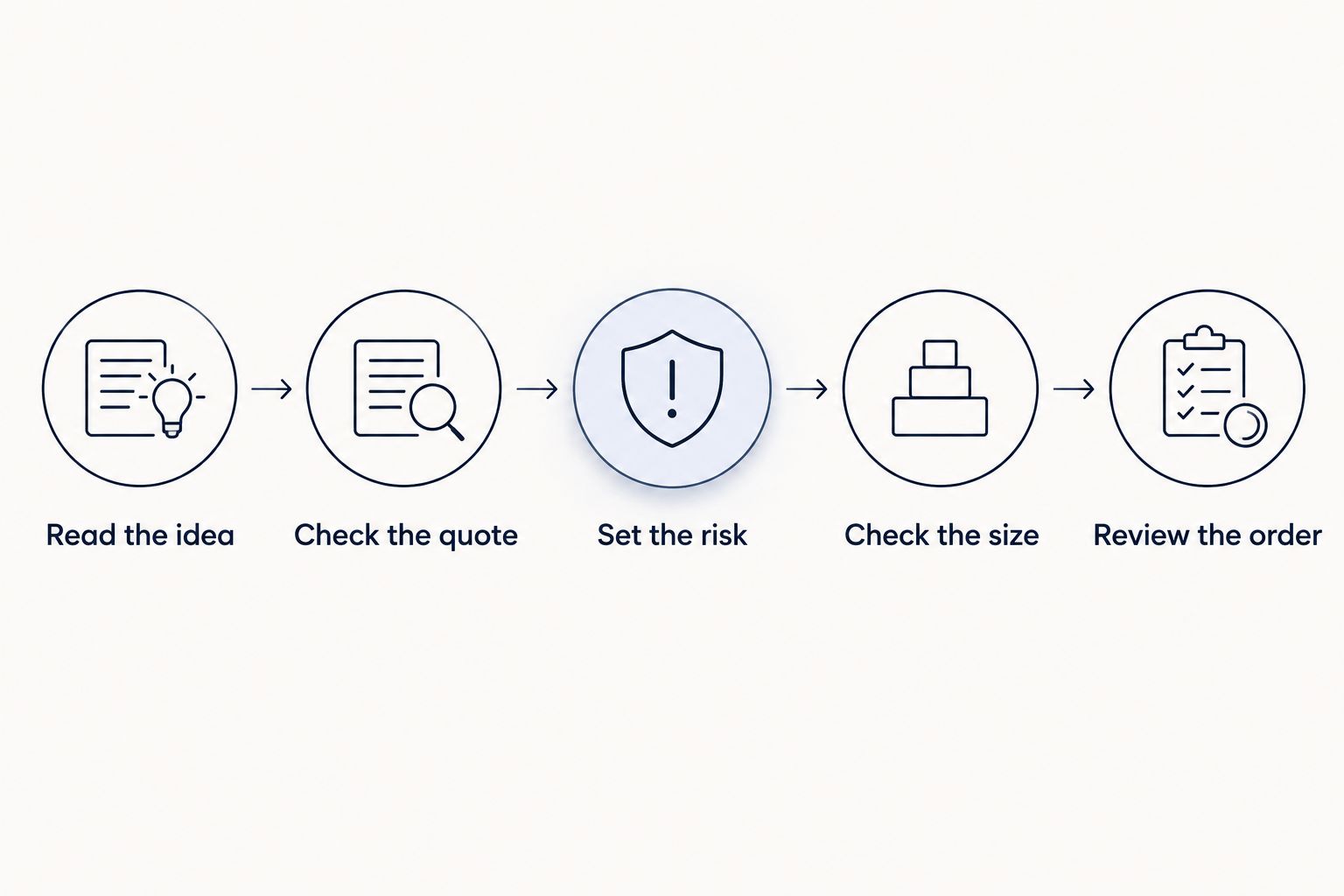
Use this sequence before submitting an order:
- Read the idea: Identify the currency pair and whether the proposed trade is a buy or sell.
- Check the quote: Compare the idea's entry with the broker's current executable prices.
- Set the risk: Decide the loss you are prepared to accept before choosing trade volume.
- Check the size: Use the stop distance and contract specifications to assess the proposed order.
- Review the order: Verify direction, volume, and exit instructions before submission.
A stop-loss is an instruction intended to close a position when the market reaches a specified level. It does not guarantee that exact execution price; fast markets and gaps can affect the fill.
Use the guide to sizing a position before following forex signals to focus on the calculation rather than copying another trader's volume. An order that fits someone else's balance does not automatically fit yours.
Where a signals subscription fits
Tradeforex subscribers receive forex signals inside the Tradeforex web app. That delivery method does not turn the service into a broker, and a signal remains a trade idea rather than a guaranteed result.
Before subscribing to any signals service, establish what you will receive and whether you can interpret it independently. Look for an understandable distinction between an entry idea, an exit instruction, and an explanation of risk; do not assume a provider supplies those details without checking.
Review examples against your own broker workflow. Can you identify the instrument? Can you tell whether the entry remains relevant? Can your account accommodate the resulting position size?
Subscribe only when you understand how the ideas fit your execution process and risk limits. A subscription does not remove the need to reject a trade, and taking no position remains a valid decision.
Explore the signals service
Tradeforex subscribers receive forex signals inside the web app; execution stays with their broker.
Which forex app should you choose?
Start your 2026 comparison with MetaTrader 5 if you need an order-focused workflow. Keep MetaTrader 4 when an existing compatible setup already meets your needs. Choose TradingView when chart analysis is your priority, then verify how you will execute trades.
Apply the same rejection rule to every option: if you cannot explain the order size and its potential loss, do not submit it. For a small account, that discipline matters more than choosing the most feature-heavy platform.
FAQ
What's the best forex trading app for a small account?
MetaTrader 5 is the default shortlist here for order-focused preparation, but the broker account determines whether it fits your balance. Check minimum trade size, order controls, and account terms before funding.
Is MetaTrader 4 better than MetaTrader 5 for beginners?
MetaTrader 4 is the better fit when you already have a compatible workflow you understand. A beginner choosing from scratch should compare the actual broker accounts and order-entry process rather than choosing by platform name alone.
Can I trade forex directly through TradingView?
TradingView supports trading connections with supported brokers. Confirm your broker connection and the exact account's eligibility before treating the chart interface as your execution platform.
Does Tradeforex execute the trades in its signals?
Tradeforex provides signals inside its web app; it is not presented here as a broker or trade-execution app. You must distinguish receiving an idea from placing and managing an order through your broker.
What does a micro lot mean in forex?
Under the standard forex convention, a micro lot represents 1,000 units of the base currency. Confirm the broker's contract specifications and permitted trade increments before submitting an order.
Can a stop-loss guarantee my maximum loss?
A stop-loss does not guarantee execution at its specified price. Market gaps and fast price changes can produce a different fill, so account for execution risk when choosing position size.
Should I subscribe to signals before choosing a trading app?
Choose and practice your execution workflow before relying on a signals subscription. You need to understand order size, entry conditions, and exit controls before turning an external idea into a live position.
One last thing
A trade can be sensible in direction and still be wrong for your account. If the smallest permitted order exceeds your risk limit, skip the trade rather than changing the limit to make it fit.
That is the most useful small-account filter: not whether an app lets you place an order, but whether you can justify placing it.